

Prerequisites
You must have one of the following roles to initiate and manage WalletConnect connections/disconnections:- Admin
- Spender
Steps
1. Get a pairing link from the dApp
- Open the target dApp.
- Choose WalletConnect as the connection method.
- Obtain the WalletConnect pairing link.
2. Initiate the connection in Cobo Portal
- Log in to Cobo Portal.
-
Go to Wallets -> WalletConnect.
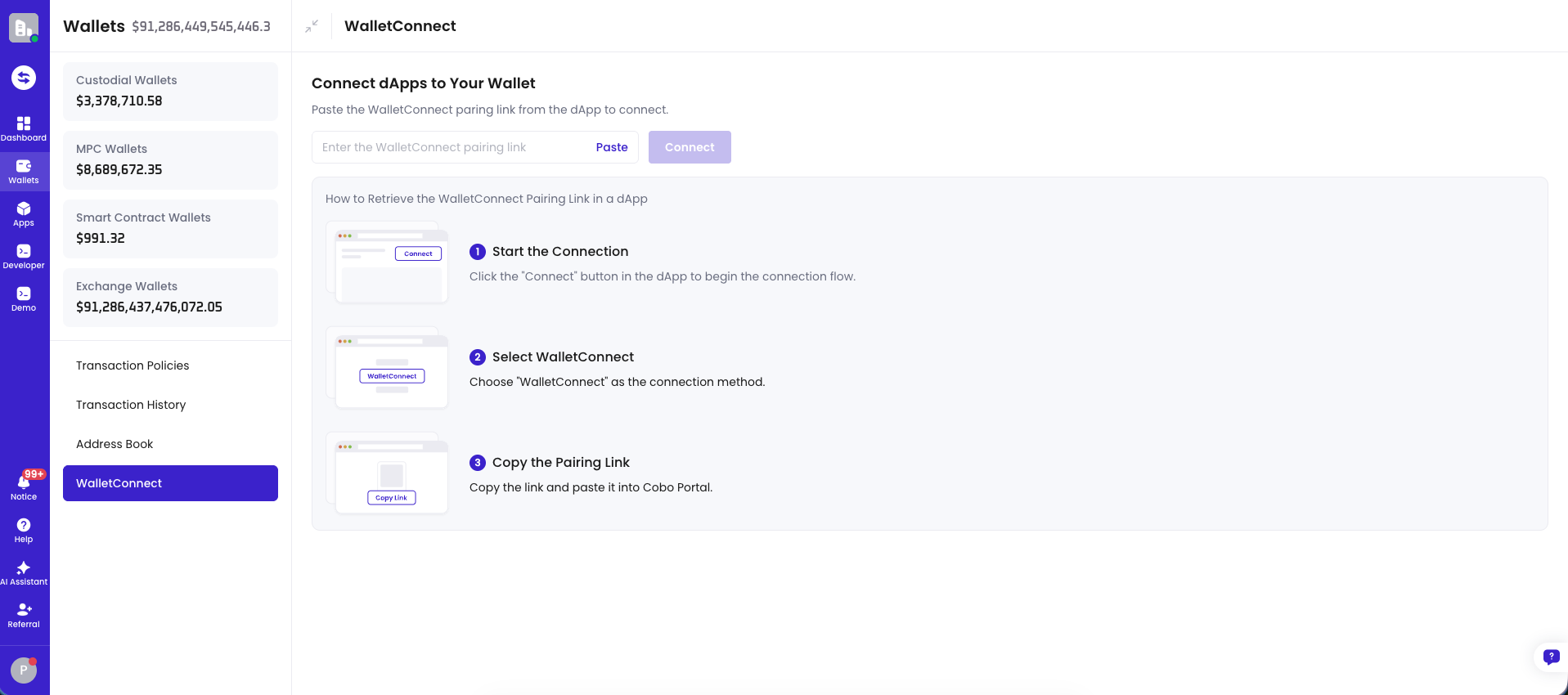
- Paste or enter the pairing link, then click Connect.
- Select the wallet address you want to use.
- Review the dApp connection details and risk information (if applicable), then confirm to establish the connection.
3. Send a transaction request from the dApp
- Go back to the connected dApp.
- Initiate an action in the dApp, such as swapping, staking, or lending.
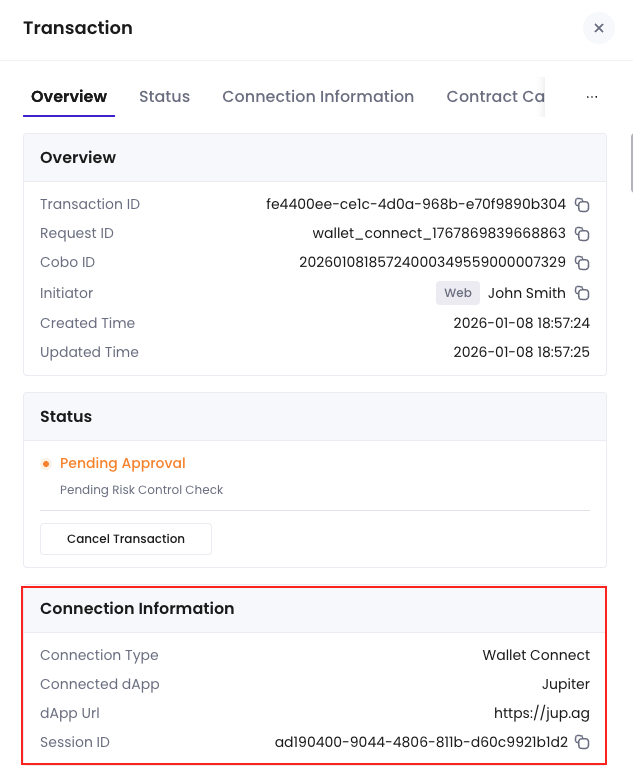
- The dApp will send a transaction request to Cobo through WalletConnect.
- Spender approval (callback)
- Risk control approval
- MPC signing
Due to Solana on-chain mechanism, for Solana-chain transactions, the Cobo-side workflow (Spender approval, risk control approval, and MPC signing) must be completed within 1 minute. Otherwise, the Solana transaction or message signature will expire.
Next steps
On the WalletConnect management page, you can view active connections initiated by you (expired or disconnected connections are not shown).- You can manually disconnect a connection. After disconnection, the dApp can no longer send new transaction requests, but it does not affect transactions that have already been initiated and are in progress.
- Each connection is valid for 1 day by default. If you do not disconnect it within the validity period, the system will automatically close the connection. After a connection is closed, the dApp must reconnect before initiating new actions.