

Cobo AI features are currently in Beta and available only to selected test users so we can gather feedback and keep improving the experience.If you are interested in trying Cobo AI, contact Cobo Support to request access. After access is granted, you will see the Cobo AI entry points in the relevant product interfaces and can start using them.
What is Cobo Guard AI Assistant?
Cobo Guard AI Assistant is an AI helper embedded in the Cobo Guard transaction approval flow. It aims to help approvers fully understand the business context, trigger reasons, and potential risks of approval requests—without adding extra effort—so they can make decisions with confidence. During approval, Cobo Guard AI Assistant interprets transaction details, related history, risk signals, and triggered transaction policies to reduce the effort of parsing structured approval information. The Assistant does not replace human judgment, nor does it change who is responsible for approvals.Target users and scenarios
Cobo Guard AI Assistant is for users who participate in transaction approval and signing. Typical scenarios include:- Initiator confirmation: After a submitter creates a withdrawal request, the submitter confirms it again.
- Approver review: Based on configured transaction policies, an approver receives a notification and reviews the transaction.
- Transaction signing: For MPC transactions, after approval is granted, mobile signers receive the signing request in Cobo Guard and complete the signature.
Tasks it can help with
During transaction review, Cobo Guard AI Assistant can provide approvers with the following insights and capabilities:- Understand transaction details: Translate structured transaction information into natural language and explain key fields to clarify the transaction intent.
- Add historical context: Help surface related address relationships, transaction history, and past behavior patterns as reference context for approval.
- Highlight potential risks: Check whether the destination address or contract has known risk events or abnormal flags and highlight them accordingly.
- Explain triggered transaction policies: Describe which transaction policies were triggered and their logic so approvers understand why the request requires review.
How to use
In Cobo Guard transaction approval messages, the system displays the AI Assistant’s analysis and tips for the current approval request. Approvers can click Ask AI Assistant to open the chat window and interact with Cobo Guard AI Assistant. During the interaction, you can read the AI’s full explanations and ask questions in natural language. The AI Assistant draws on the current approval status and transaction data to provide explanations and guidance directly related to the task at hand.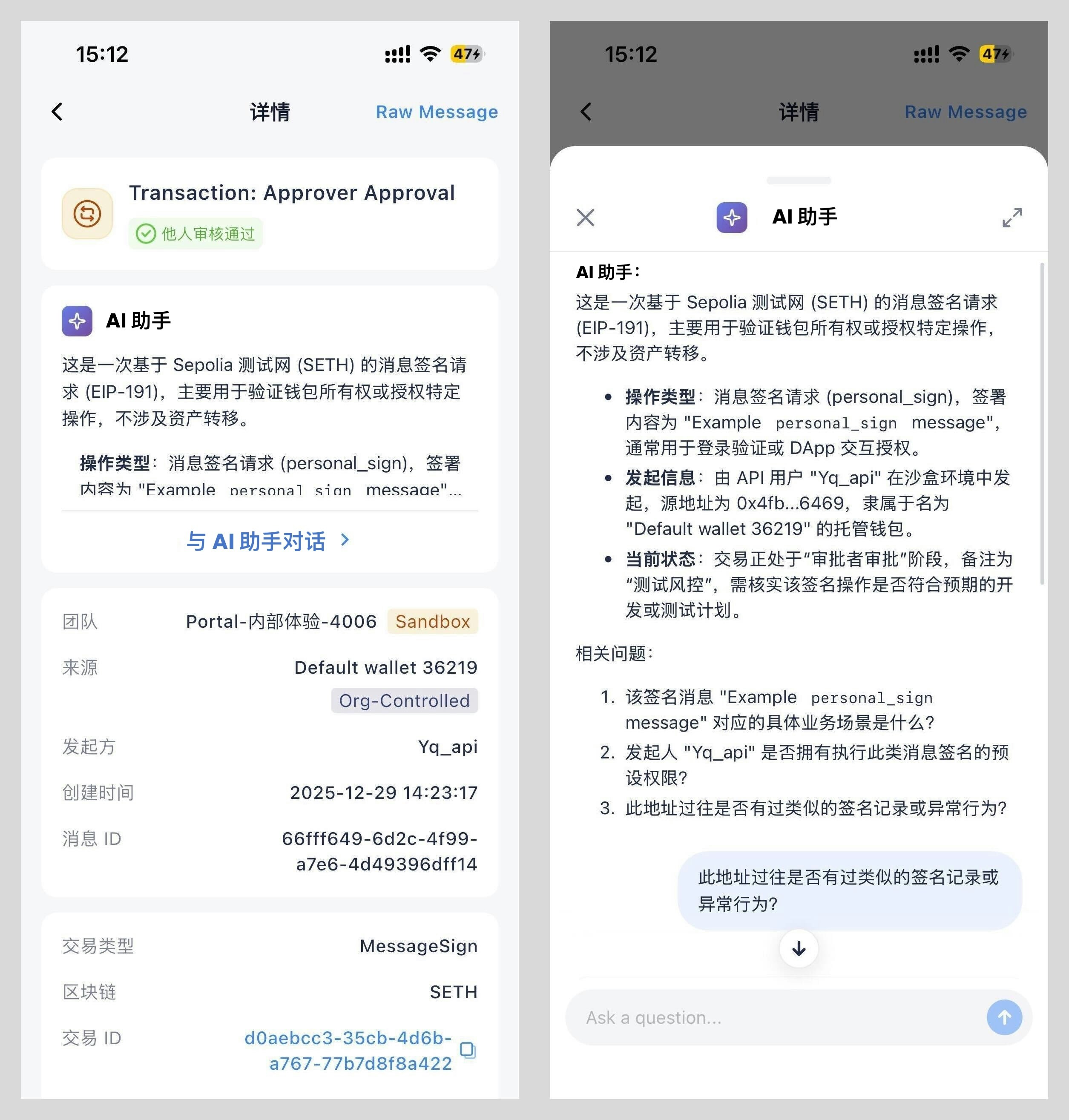
Capability boundaries
Cobo Guard AI Assistant provides decision-support information for transaction approval. It does not automate approval or execution.- Does not replace human judgment, approval, or signing; does not automatically approve, reject, submit approval requests, advance the flow, or trigger follow-up actions
- Does not bypass existing permission controls, risk-control strategies, or approval flows
- Outputs are based on available transaction data, history, and risk-control configurations; information may be incomplete or imperfect, so approvers should apply their own judgment
- Outputs are for understanding only and do not constitute financial, legal, tax, or compliance advice
For more information about Cobo AI, including overview and data use and security, see Cobo AI Introduction.