

Prerequisites
Prepare a valid email address (preferably a corporate email) or a Google account that you can sign in with.Steps
1. Create an account
- Visit the Cobo website and click Start your 14-day free trial.
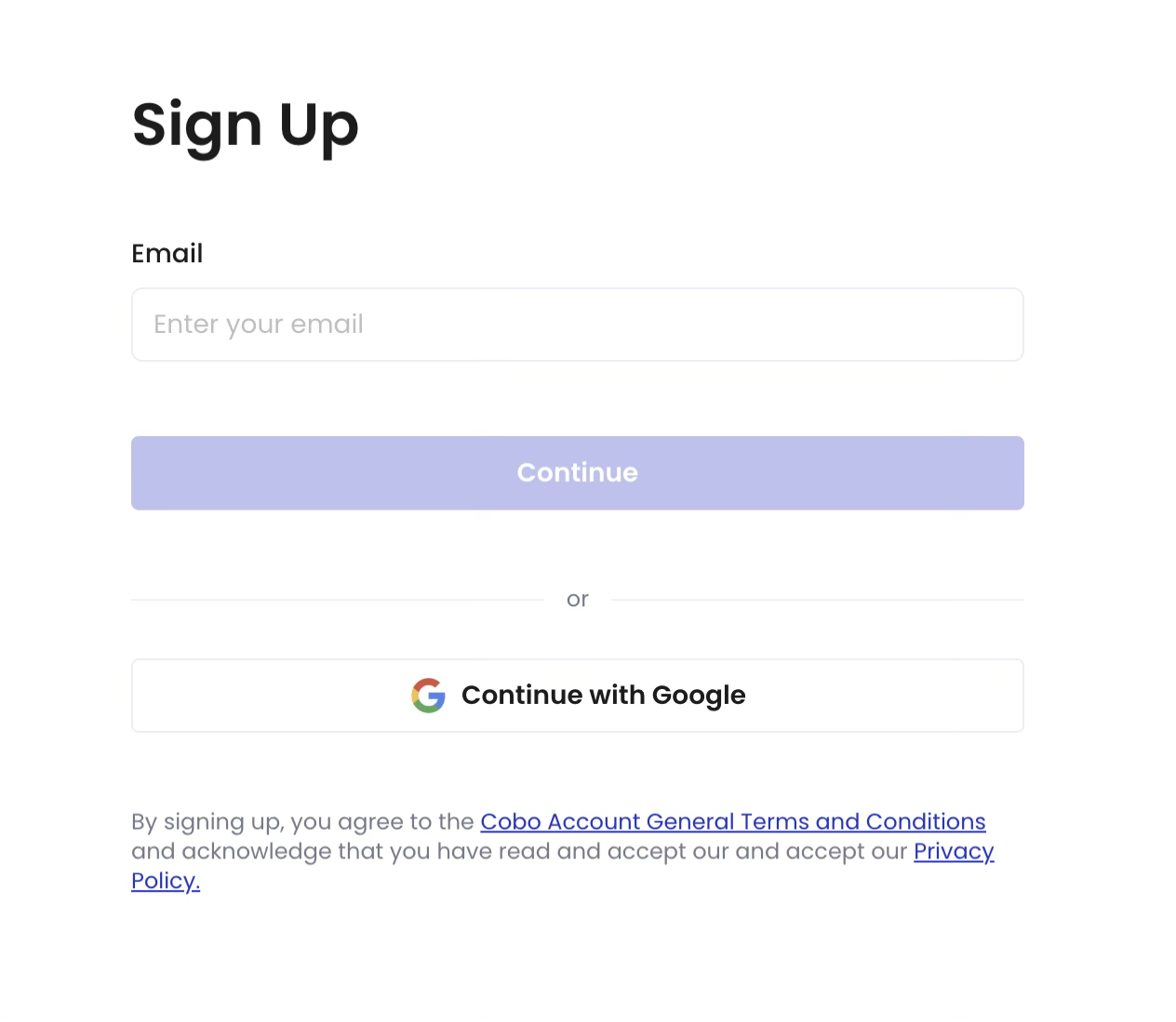
- On the registration page, choose to sign up with your email or your Google account.
- Follow the prompts to complete registration (e.g., entering your email, verification code, and password, or completing Google authorization).
2. Create an organization
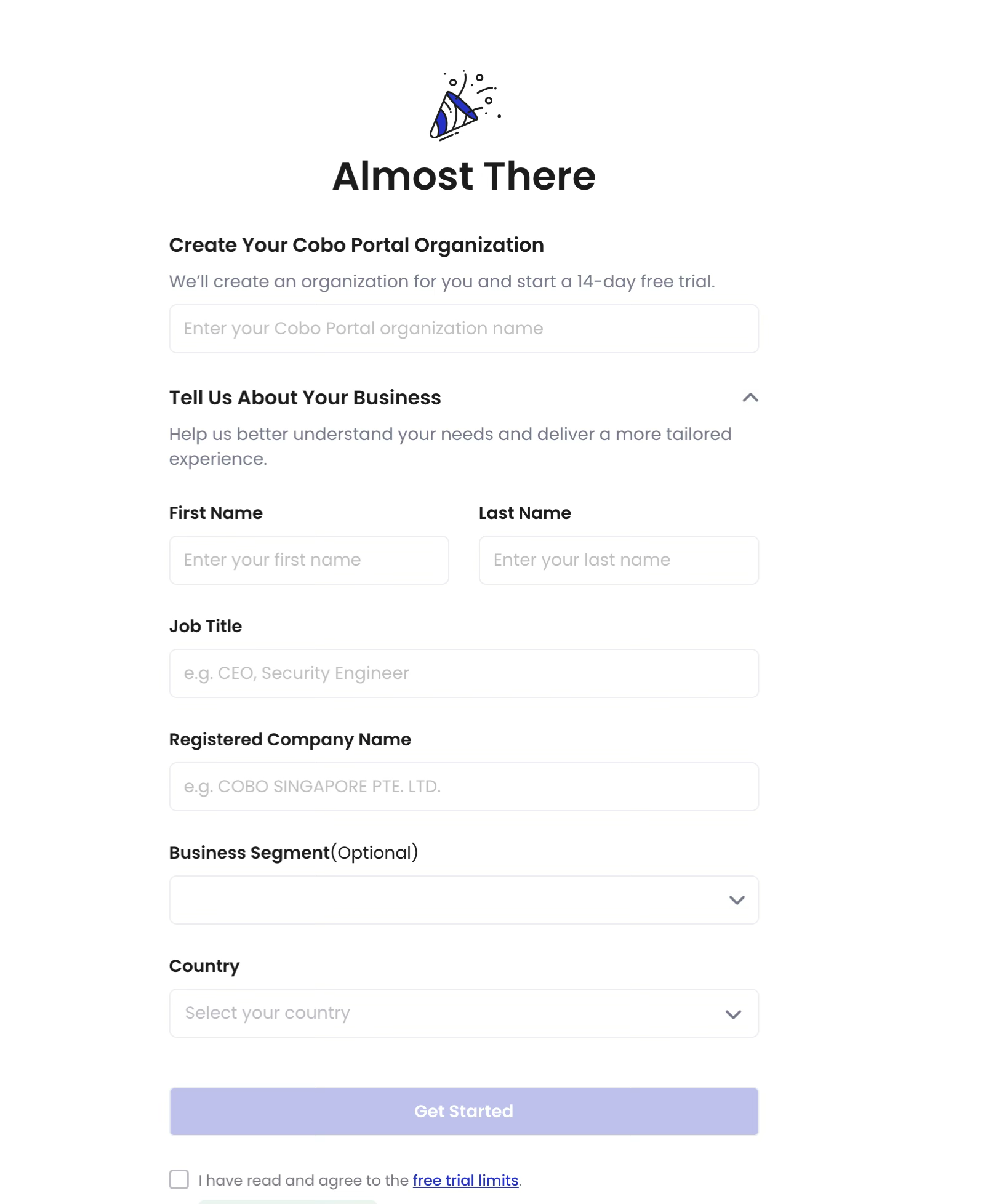
- After completing registration, you will be directed to the organization creation page.
- Enter your organization name and the required information, then submit.
- The system will automatically create an organization for you. You can then enter Cobo Portal and begin your trial experience.
Choose a subscription plan
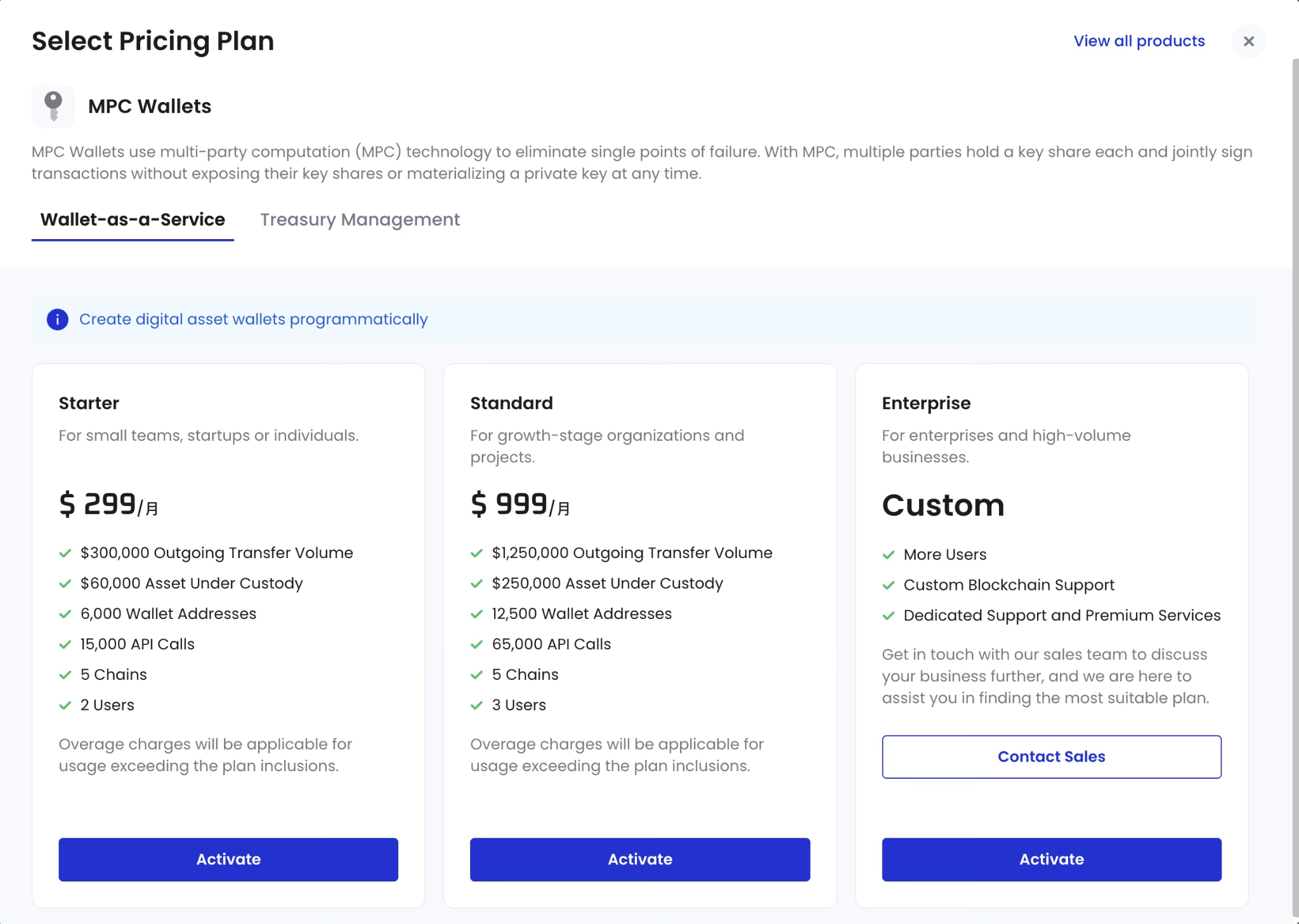
After the trial ends, you can choose a subscription plan that best fits your needs.- View plan details on the official website.
- In Cobo Portal, click the plan badge to the right of the organization name in the top navigation bar. Select a plan to complete the payment or contact Sales for a customized plan.
Notes
- You will automatically receive a 14-day free trial after registration and organization creation.
- The free trial will automatically end after 14 days, with no extra or hidden fees.
- If you wish to continue using Cobo Portal, the system will guide you to choose an appropriate paid plan when the trial expires.
- If you do not intend to continue after the trial, please ensure that no assets remain in your wallet, as you will lose access to Cobo services once the trial ends.