

If your server has firewall or security group rules that restrict access by IP address, please allow the following IPs to ensure webhook and callback notifications are delivered:
54.201.57.0for callbacks.52.34.39.169for webhooks.
Prerequisites
You have set up your webhook endpoint as described in Set up a callback or webhook endpoint.Steps
- Log in to Cobo Portal.
- Click Developer in the left sidebar.
- Click the WaaS 2.0 tab and then switch to the Webhooks tab.
-
Click Register Webhook Endpoint to display the following dialog.
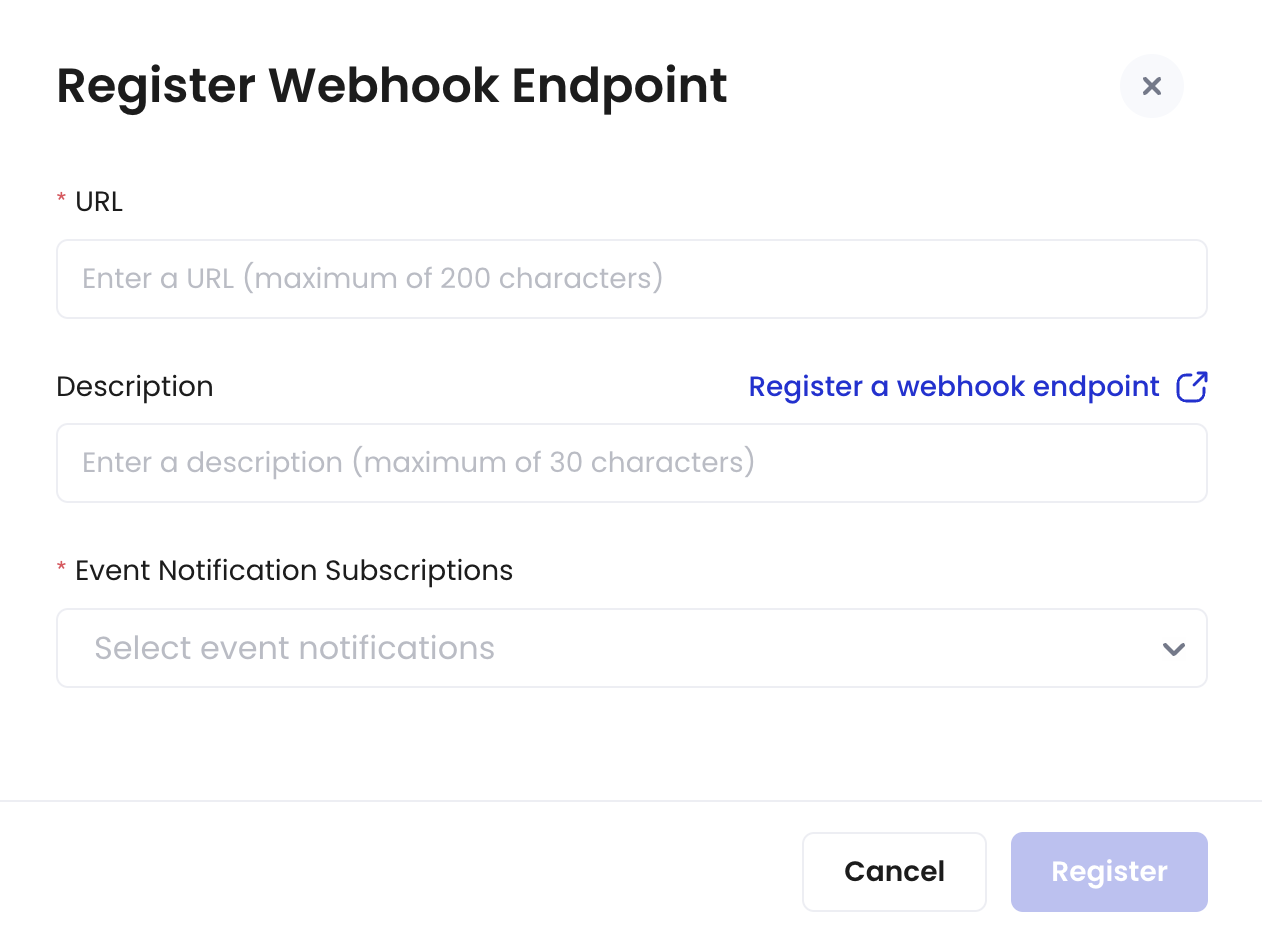
- Enter the URL.
- Enter a description for the webhook endpoint.
-
Select the types of event notifications you want to subscribe to.
For more details about the event types, refer to Webhook event types.
- Click Register.
Next steps
After registering a webhook endpoint, you can:- Edit the webhook endpoint’s description or subscribed event types.
- Revoke the webhook endpoint to disable its functionality.
- Filter the webhook endpoint list by status or event type.
- Search for specific webhook endpoints using names or keywords.