> ## Documentation Index
> Fetch the complete documentation index at: https://manuals.cobo.com/llms.txt
> Use this file to discover all available pages before exploring further.
# Withdraw assets
> Learn the process of withdrawing assets from Smart Contract Wallets in Cobo Portal, ensuring secure and efficient transactions.
Due to the Bybit security incident, Safe Wallet has suspended third-party delegate call services. As a result, Cobo's Smart Contract Wallets and related services (including on-chain transaction policies) are temporarily unavailable. However, existing wallets and on-chain transaction policies can still be used. Recovery timeline will be announced later.
Prerequisite: Before withdrawing from Smart Contract Wallets, please make sure that you have [created](/en/portal/smart-contract-wallets/create) or [imported](/en/portal/smart-contract-wallets/import) a Safe\{Wallet}, set up an [on-chain transaction policy](/cn/portal/risk-controls/on-chain-tx-type) for token transfers, set up an [off-chain transaction policy](/en/portal/risk-controls/off-chain-tx-set-transfer) (recommended), and [deposited funds](/en/portal/smart-contract-wallets/deposit-assets) into the wallet.
## Withdraw by assets
1. Click into a Smart Contract Wallet on Cobo Portal and switch to the **Assets** section.
2. To withdraw a specific token, click  next to the respective token.
3. In the pop-up window, review the default entries for **token** type and **From** wallet/address.
4. Select your **Delegate** address and enter the **To** address. Please note that the Delegate can only withdraw authorized tokens to the receiving addresses added during the setup of the on-chain transaction policies for token transfers. For more information, please refer to [Create contract call policy](/en/portal/risk-controls/create-on-chain-policy).
5. Enter your withdrawal amount and review the transaction cost.
6. (Optional) Enter a category and a description for your withdrawal.
next to the respective token.
3. In the pop-up window, review the default entries for **token** type and **From** wallet/address.
4. Select your **Delegate** address and enter the **To** address. Please note that the Delegate can only withdraw authorized tokens to the receiving addresses added during the setup of the on-chain transaction policies for token transfers. For more information, please refer to [Create contract call policy](/en/portal/risk-controls/create-on-chain-policy).
5. Enter your withdrawal amount and review the transaction cost.
6. (Optional) Enter a category and a description for your withdrawal.
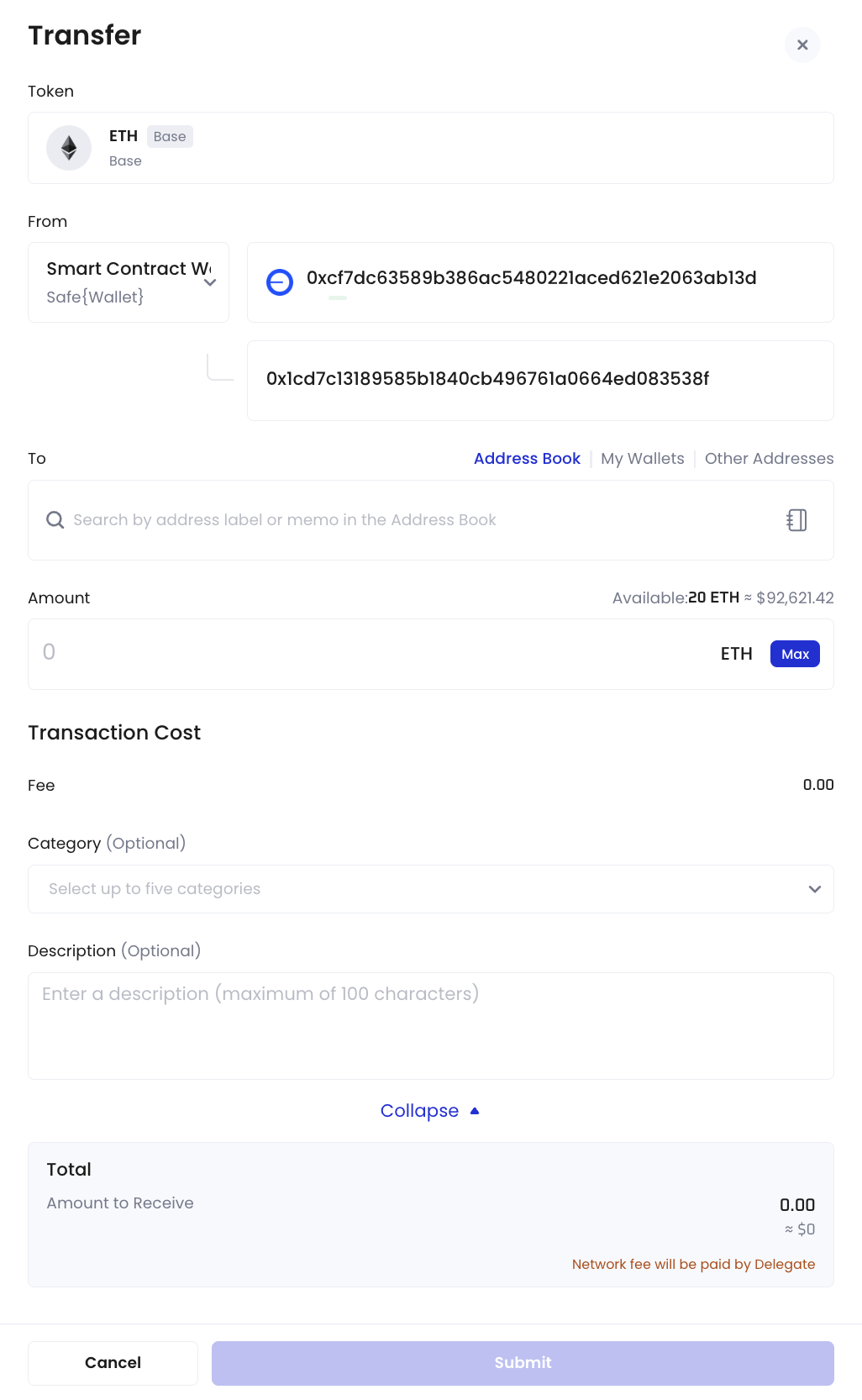 7. Click **Submit**.
## Withdraw directly from Safe\{Wallet}
1. To make a withdrawal directly from your Safe\{Wallet}, click next to **Total Balance** instead.
7. Click **Submit**.
## Withdraw directly from Safe\{Wallet}
1. To make a withdrawal directly from your Safe\{Wallet}, click next to **Total Balance** instead.
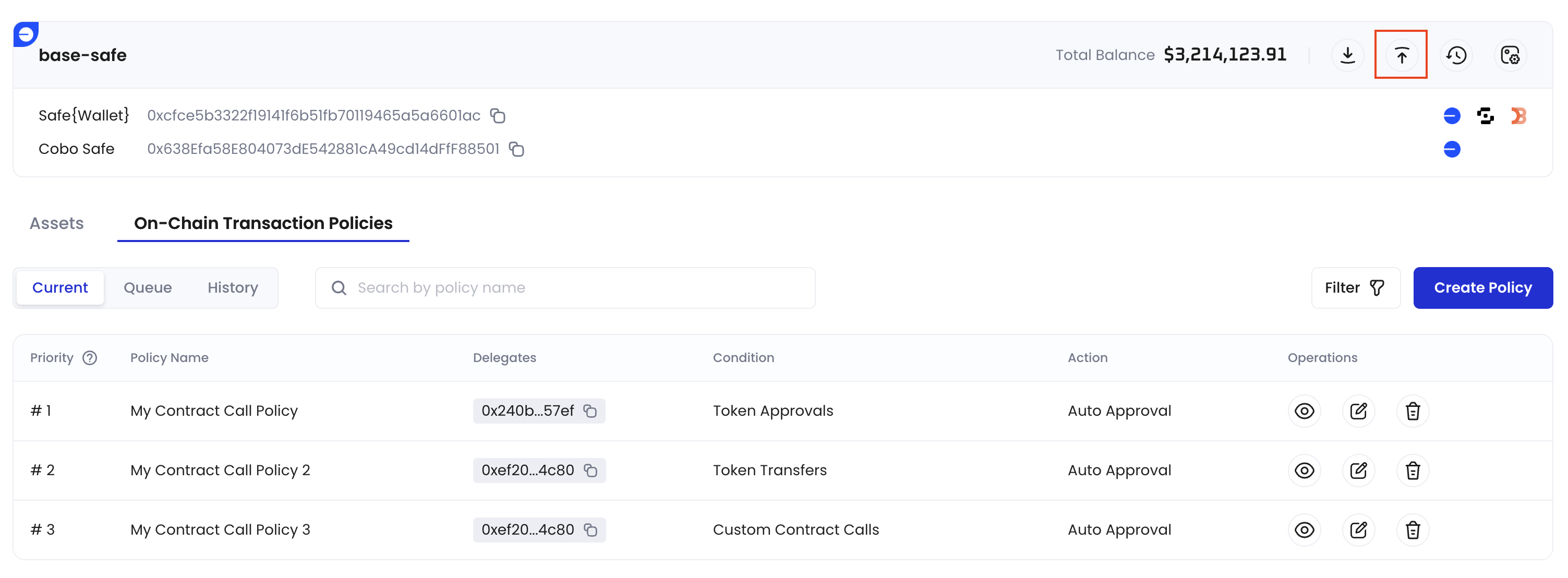 2. In the pop-up window, review the default entries for **From** wallet/address.
3. Select your **Delegate** address, the **token** type for withdrawal, and enter the **To** address. Please note that the Delegate can only withdraw authorized tokens to the receiving addresses added during the setup of the on-chain transaction policies for token transfers. For more information, please refer to [Create contract call policy](/en/portal/risk-controls/create-on-chain-policy).
4. Enter your withdrawal amount and review the transaction cost.
5. (Optional) Enter a category and a description for your withdrawal.
6. Click **Submit**.
## Withdraw via Transfer module
For more information, please refer to [Transfer from Smart Contract Wallets](/en/portal/transfers/from-smart-contract-wallets).
2. In the pop-up window, review the default entries for **From** wallet/address.
3. Select your **Delegate** address, the **token** type for withdrawal, and enter the **To** address. Please note that the Delegate can only withdraw authorized tokens to the receiving addresses added during the setup of the on-chain transaction policies for token transfers. For more information, please refer to [Create contract call policy](/en/portal/risk-controls/create-on-chain-policy).
4. Enter your withdrawal amount and review the transaction cost.
5. (Optional) Enter a category and a description for your withdrawal.
6. Click **Submit**.
## Withdraw via Transfer module
For more information, please refer to [Transfer from Smart Contract Wallets](/en/portal/transfers/from-smart-contract-wallets).