> ## Documentation Index
> Fetch the complete documentation index at: https://manuals.cobo.com/llms.txt
> Use this file to discover all available pages before exploring further.
# Set up Delegate Key
> Understand the steps to set up a Delegate Key for on-chain transaction policies in Cobo Portal, enhancing transaction security.
Due to the Bybit security incident, Safe Wallet has suspended third-party delegate call services. As a result, Cobo's Smart Contract Wallets and related services (including on-chain transaction policies) are temporarily unavailable. However, existing wallets and on-chain transaction policies can still be used. Recovery timeline will be announced later.
Transaction policies are an important security measure for your organization. It is recommended to strictly configure these policies, especially for large withdrawal scenarios, to avoid high-risk situations such as having no transaction policies, having transactions that are not covered by a transaction policy, automatically approving all transactions, or allowing the same role to both withdraw and approve transactions.
Prerequisite: Please create a [Smart Contract Wallet](/en/portal/smart-contract-wallets/introduction). Note that on-chain transaction policies apply only to Smart Contract Wallets.
To create an on-chain transaction policy, you must first set up a Delegate Key. The Delegate Key is an address created and assigned by Cobo Portal. It will be used to initiate, but not sign, multi-sig transactions on behalf of Safe{Wallet} signers.
1. Log into [Cobo Portal](https://portal.cobo.com/login).
2. Click **Wallets** in the left sidebar, then select **Smart Contract Wallets**.
3. Click  next to the Safe\{Wallet} you have connected to or created on the Cobo Portal (you may skip to step 6). Alternatively, click into the Safe\{Wallet}.
 4. Switch to the On-Chain Transaction Policies tab and click
  .
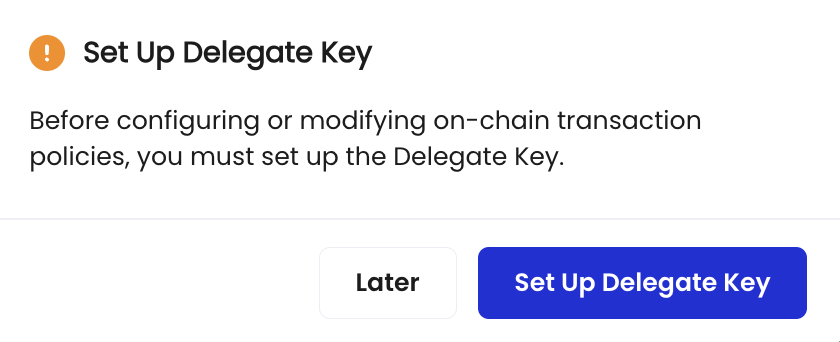
5. In the pop-up window, click **Set Up Delegate Key**.
.
5. In the pop-up window, click **Set Up Delegate Key**.
 6. Click
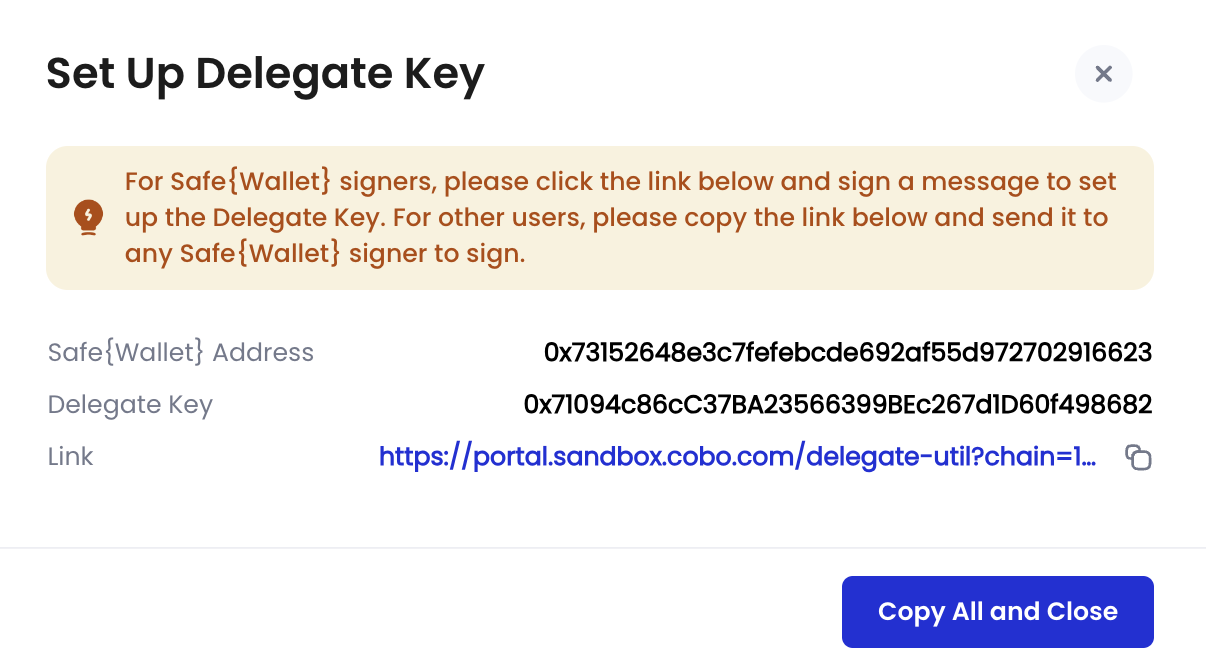
  to copy the link shown in the pop-up window. Then, send it to any of your Safe{Wallet} signers to sign. Alternatively, click **Copy All and Close** to copy all information, including the Safe\{Wallet} address, Delegate Key, and URL.
 7. (For Safe\{Wallet} signer) Navigate to the link provided and connect to your wallet associated with the Safe\{Wallet}.
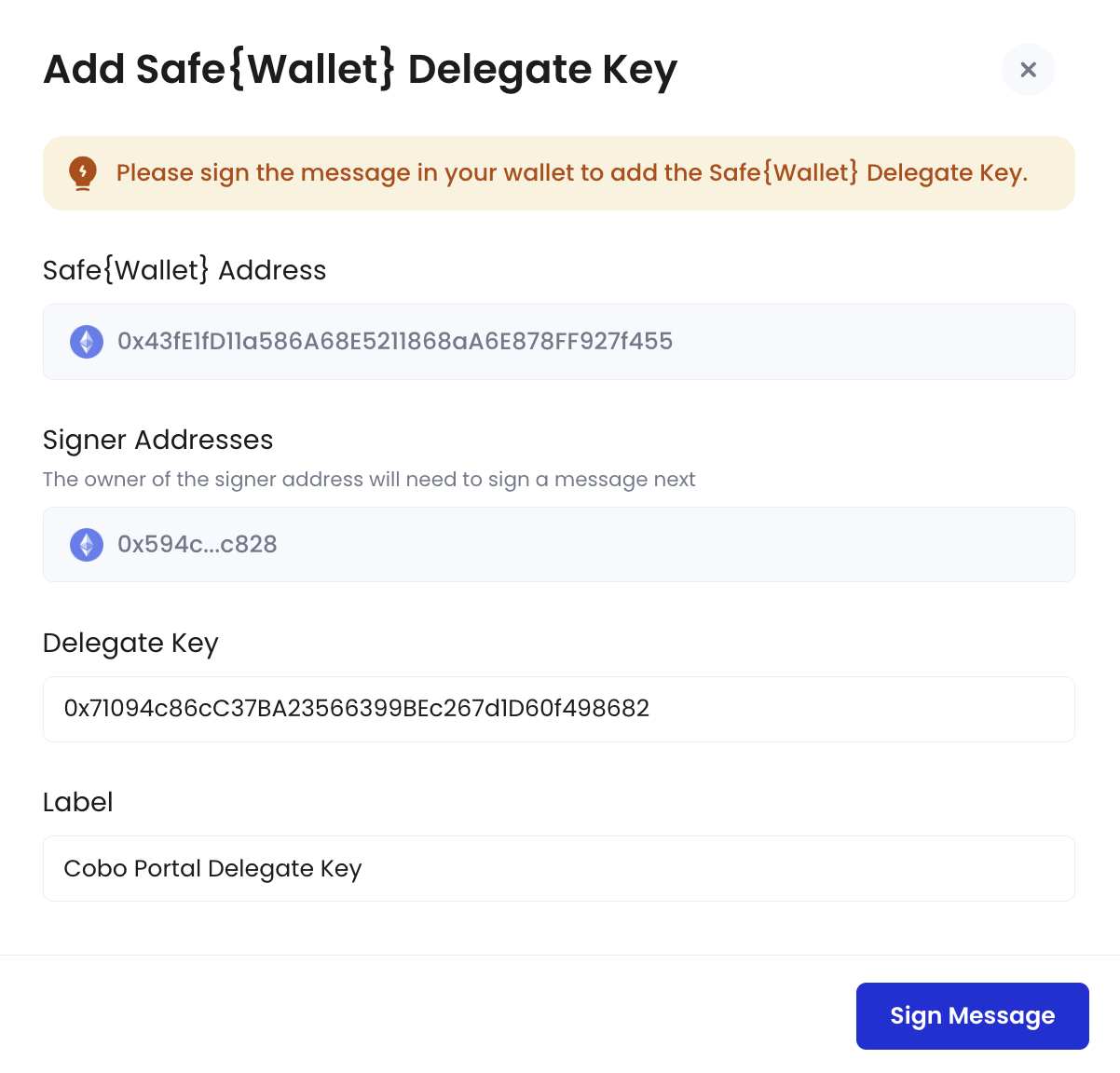
8. (For Safe\{Wallet} signer) In the pop-up window, review the auto-filled fields and enter a label for the Delegate Key. Then, click **Sign Message**.
7. (For Safe\{Wallet} signer) Navigate to the link provided and connect to your wallet associated with the Safe\{Wallet}.
8. (For Safe\{Wallet} signer) In the pop-up window, review the auto-filled fields and enter a label for the Delegate Key. Then, click **Sign Message**.
 9. (For Safe\{Wallet} signer) Sign a message in your connected wallet.
10. The new Delegate Key will be displayed on the homepage.
9. (For Safe\{Wallet} signer) Sign a message in your connected wallet.
10. The new Delegate Key will be displayed on the homepage.