> ## Documentation Index
> Fetch the complete documentation index at: https://manuals.cobo.com/llms.txt
> Use this file to discover all available pages before exploring further.
# Manage private keys
> Learn how to manage private keys in MPC vaults, including creating, editing, and deleting keys.
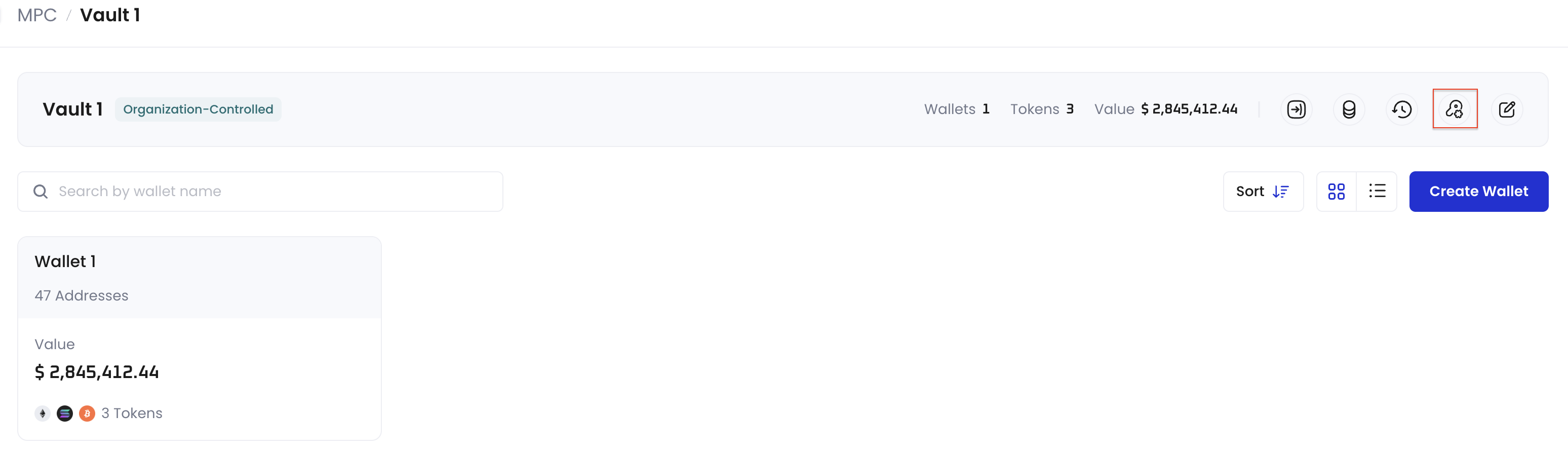
Follow the steps below to navigate to the **Key Share Management** page:
1. Log in to [Cobo Portal](https://portal.cobo.com/login).
2. Click **Wallets** in the left sidebar, then select **MPC Wallets**.
3. Select your vault.
4. Click  on the upper right hand corner.
 ## View root extended public keys
Depending on the number of cryptographic algorithms supported on Cobo Portal, a set of root extended public keys associated with your vault will be displayed. Note that all public keys for MPC Wallets in this vault are derived from these root extended public keys.
## Understand key share identifiers
The **Key Share Management** page identifies each private key share with several values. Understanding how they relate helps you match a key share to the holder and the TSS Node that controls it.
* **Key share ID** (shown as the key ID on this page): the unique identifier of a single private key share, in decimal format.
* **Share public key**: the public key that corresponds to that private key share.
* **TSS Node ID**: the identifier of the TSS Node that holds the key share. The node stored locally is the Local Node ID, and nodes held by other parties are the Other Node IDs.
Each participant in a key share group corresponds to one private key share, one TSS Node ID, and one key share ID. In other words, a private key share, the TSS Node that holds it, and its holder map to each other one to one. The number of participants in a group equals the total number of private key shares, TSS Node IDs, and key share IDs in that group.
## Manage private keys
Prerequisite: To manage keys, you need to have the [user role](/en/portal/organization/roles-and-permissions) of Operator, Manager, or Admin.
### Manage Main Key
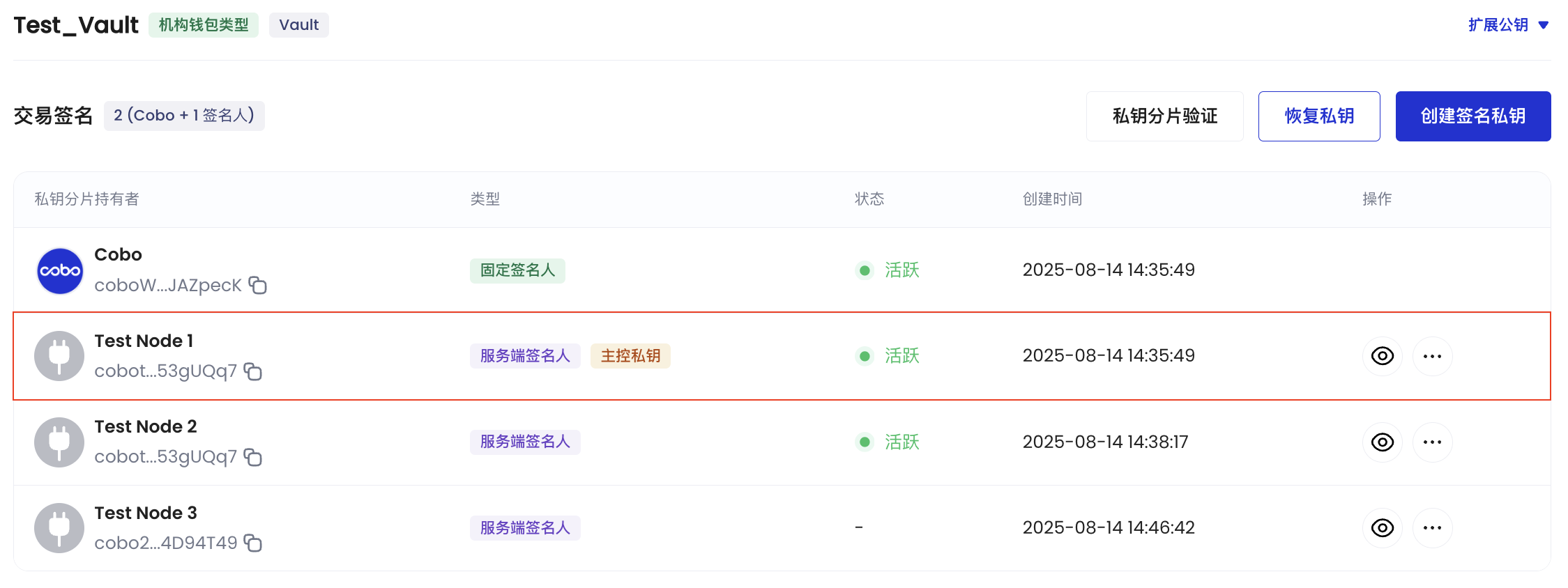
On the **Key Share Management** page, locate the key share holder with the **Main Key** label. You can view information such as their TSS Node ID, creation time, status, and key ID.
## View root extended public keys
Depending on the number of cryptographic algorithms supported on Cobo Portal, a set of root extended public keys associated with your vault will be displayed. Note that all public keys for MPC Wallets in this vault are derived from these root extended public keys.
## Understand key share identifiers
The **Key Share Management** page identifies each private key share with several values. Understanding how they relate helps you match a key share to the holder and the TSS Node that controls it.
* **Key share ID** (shown as the key ID on this page): the unique identifier of a single private key share, in decimal format.
* **Share public key**: the public key that corresponds to that private key share.
* **TSS Node ID**: the identifier of the TSS Node that holds the key share. The node stored locally is the Local Node ID, and nodes held by other parties are the Other Node IDs.
Each participant in a key share group corresponds to one private key share, one TSS Node ID, and one key share ID. In other words, a private key share, the TSS Node that holds it, and its holder map to each other one to one. The number of participants in a group equals the total number of private key shares, TSS Node IDs, and key share IDs in that group.
## Manage private keys
Prerequisite: To manage keys, you need to have the [user role](/en/portal/organization/roles-and-permissions) of Operator, Manager, or Admin.
### Manage Main Key
On the **Key Share Management** page, locate the key share holder with the **Main Key** label. You can view information such as their TSS Node ID, creation time, status, and key ID.
 ### Manage Signing Keys
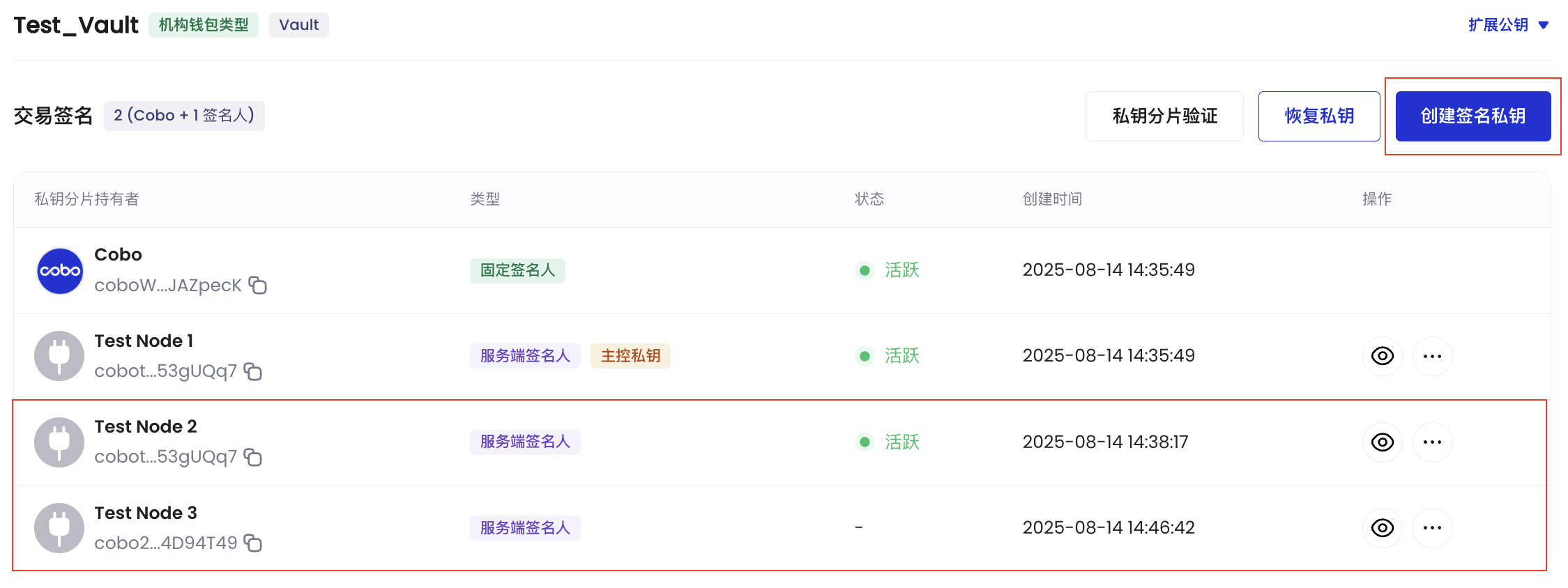
On the **Key Share Management** page, you can view or delete existing Signing Keys, create new Signing Keys, or upgrade a Signing Key to function as the Main Key.
### Manage Signing Keys
On the **Key Share Management** page, you can view or delete existing Signing Keys, create new Signing Keys, or upgrade a Signing Key to function as the Main Key.
 Notes:
* Upon deletion, the key share holders in the designated Signing Key will no longer receive any signature requests. In the event that key holders associated with the deleted Signing Key require reinstatement for receiving signature requests, they must undergo a new key generation process.
* Upon upgrading, the designated Signing Key will assume the responsibilities of the original Main Key, such as aiding in the creation of new Signing Keys and Recovery Keys. The original Main Key will be automatically deleted.
### Manage Recovery Keys
On the **Key Share Management** page, click **Recovery Keys** to:
* View existing Recovery Keys
* Delete existing Recovery Keys
Notes:
* Upon deletion, the key share holders in the designated Signing Key will no longer receive any signature requests. In the event that key holders associated with the deleted Signing Key require reinstatement for receiving signature requests, they must undergo a new key generation process.
* Upon upgrading, the designated Signing Key will assume the responsibilities of the original Main Key, such as aiding in the creation of new Signing Keys and Recovery Keys. The original Main Key will be automatically deleted.
### Manage Recovery Keys
On the **Key Share Management** page, click **Recovery Keys** to:
* View existing Recovery Keys
* Delete existing Recovery Keys
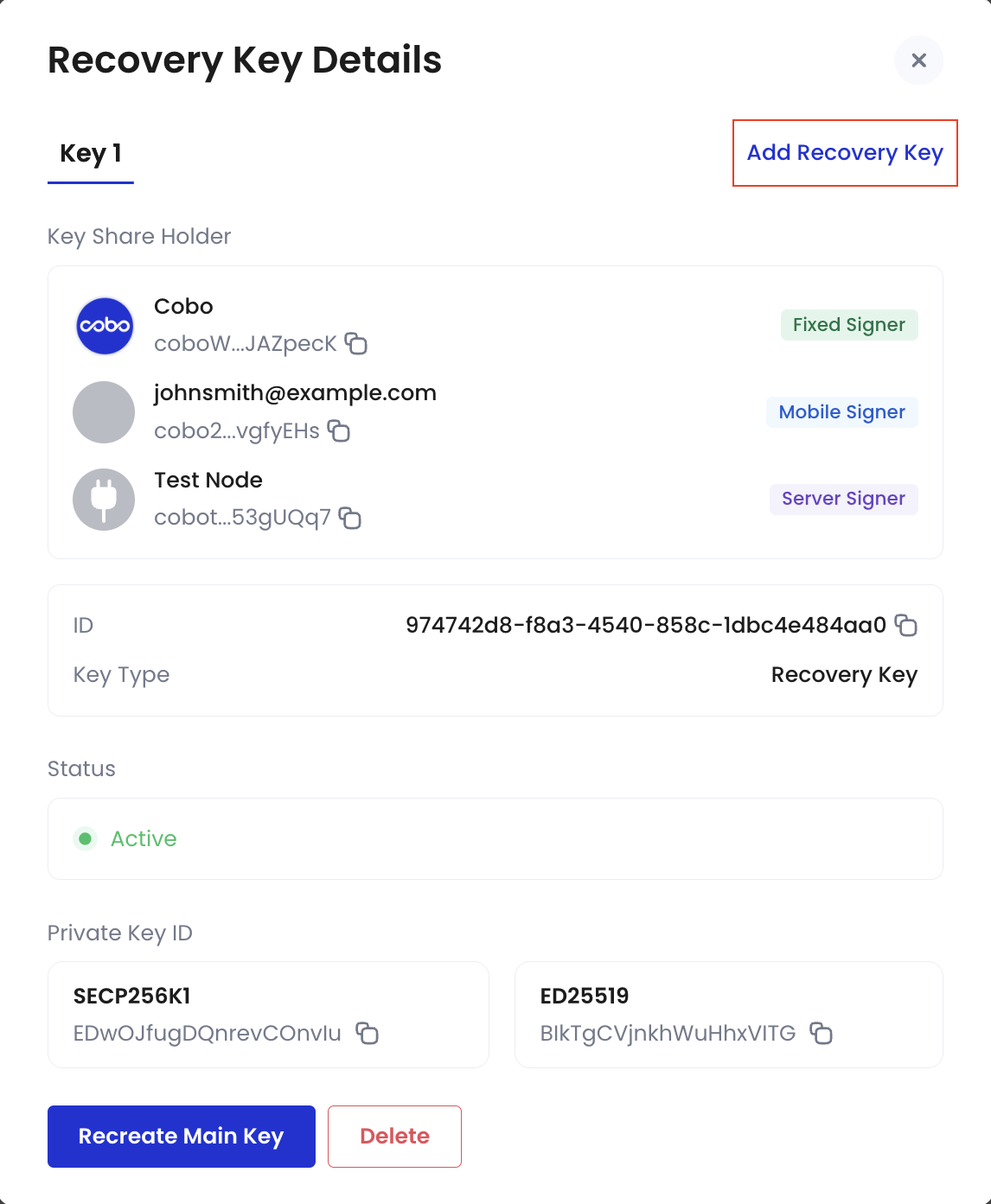
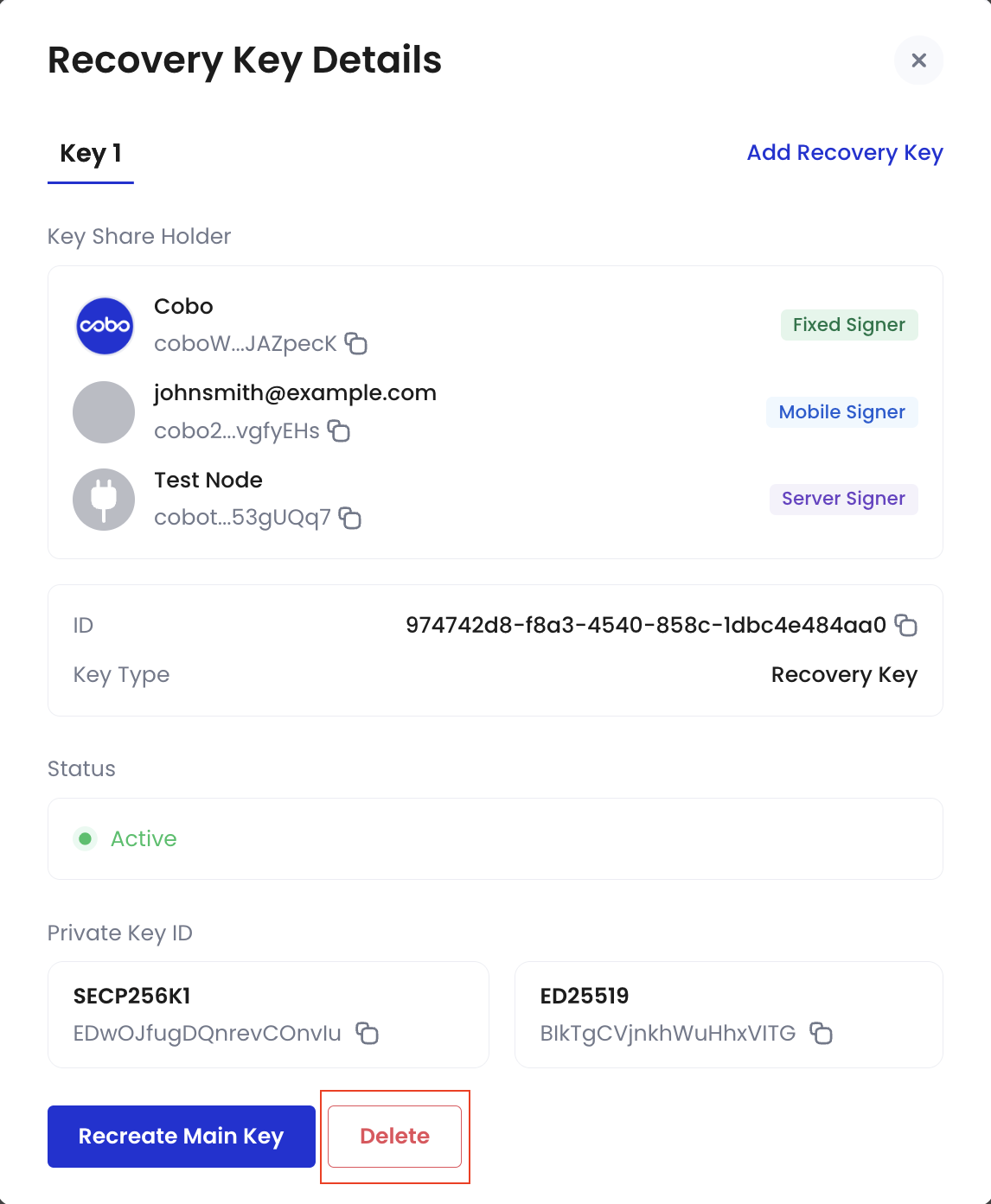 Upon deletion, the key share holders in the designated Recovery Key can no longer be used to recover a new Main Key. In the event that key holders associated with the deleted Recovery Key require reinstatement, they must undergo a new key generation process.
* Create new Recovery Keys
Upon deletion, the key share holders in the designated Recovery Key can no longer be used to recover a new Main Key. In the event that key holders associated with the deleted Recovery Key require reinstatement, they must undergo a new key generation process.
* Create new Recovery Keys
 * Use a Recovery Key to recover a new Main Key
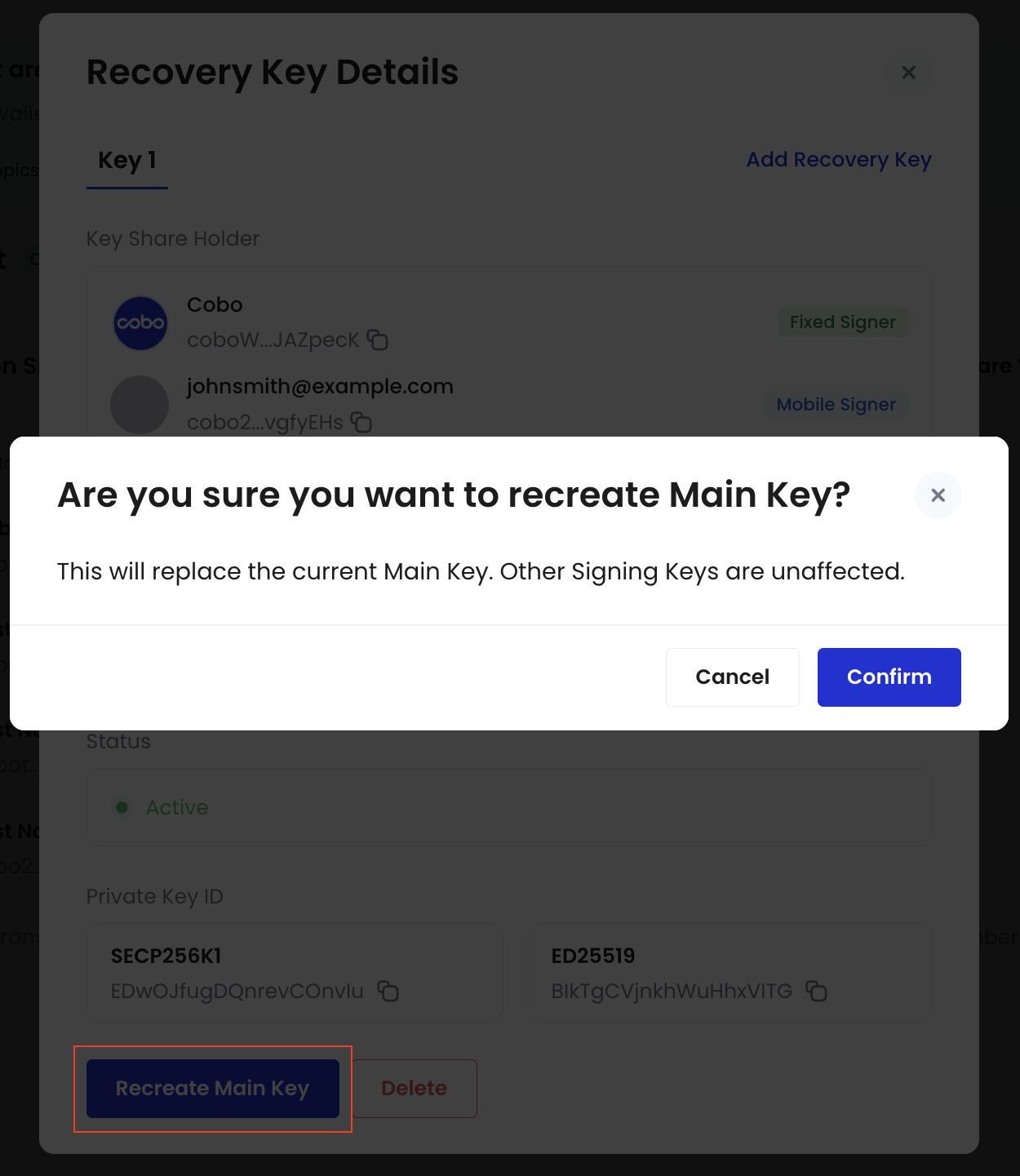
 Upon recovering, the original Main Key will be automatically deleted and replaced by the new Main Key. This new Main Key can then be used to facilitate the creation of new Signing Keys and Recovery Keys.
## Common management scenarios
### Key share holder changes
For replacing key share holders, see [Key share handover](/en/portal/mpc-wallets/ocw/key-share-transfer) for detailed steps.
### Portal Mobile device issues
If a holder's Portal Mobile device is lost or changed, or the Portal Mobile app is reinstalled, see [Reset Portal Mobile after device change or reinstallation](/en/guard/reset) for detailed steps.
Upon recovering, the original Main Key will be automatically deleted and replaced by the new Main Key. This new Main Key can then be used to facilitate the creation of new Signing Keys and Recovery Keys.
## Common management scenarios
### Key share holder changes
For replacing key share holders, see [Key share handover](/en/portal/mpc-wallets/ocw/key-share-transfer) for detailed steps.
### Portal Mobile device issues
If a holder's Portal Mobile device is lost or changed, or the Portal Mobile app is reinstalled, see [Reset Portal Mobile after device change or reinstallation](/en/guard/reset) for detailed steps.