> ## Documentation Index
> Fetch the complete documentation index at: https://manuals.cobo.com/llms.txt
> Use this file to discover all available pages before exploring further.
# Generate an API key on Deribit
> Understand how to generate an API key on Deribit, including setting permissions and IP whitelisting.
When you link a Deribit account to your Exchange Wallet, you will need to provide a client ID and a client secret of an API key. Besides, you also need to include Cobo in the IP whitelist and assign specific permissions to the key.
This article explains how to generate an API key on Deribit, including adding Cobo to the IP whitelist and setting permissions.
The content is subject to changes on Deribit.
1. Log in to your Deribit account.
2. Navigate to **My Account** > **API**.
3. Select **+ ADD NEW KEY**.
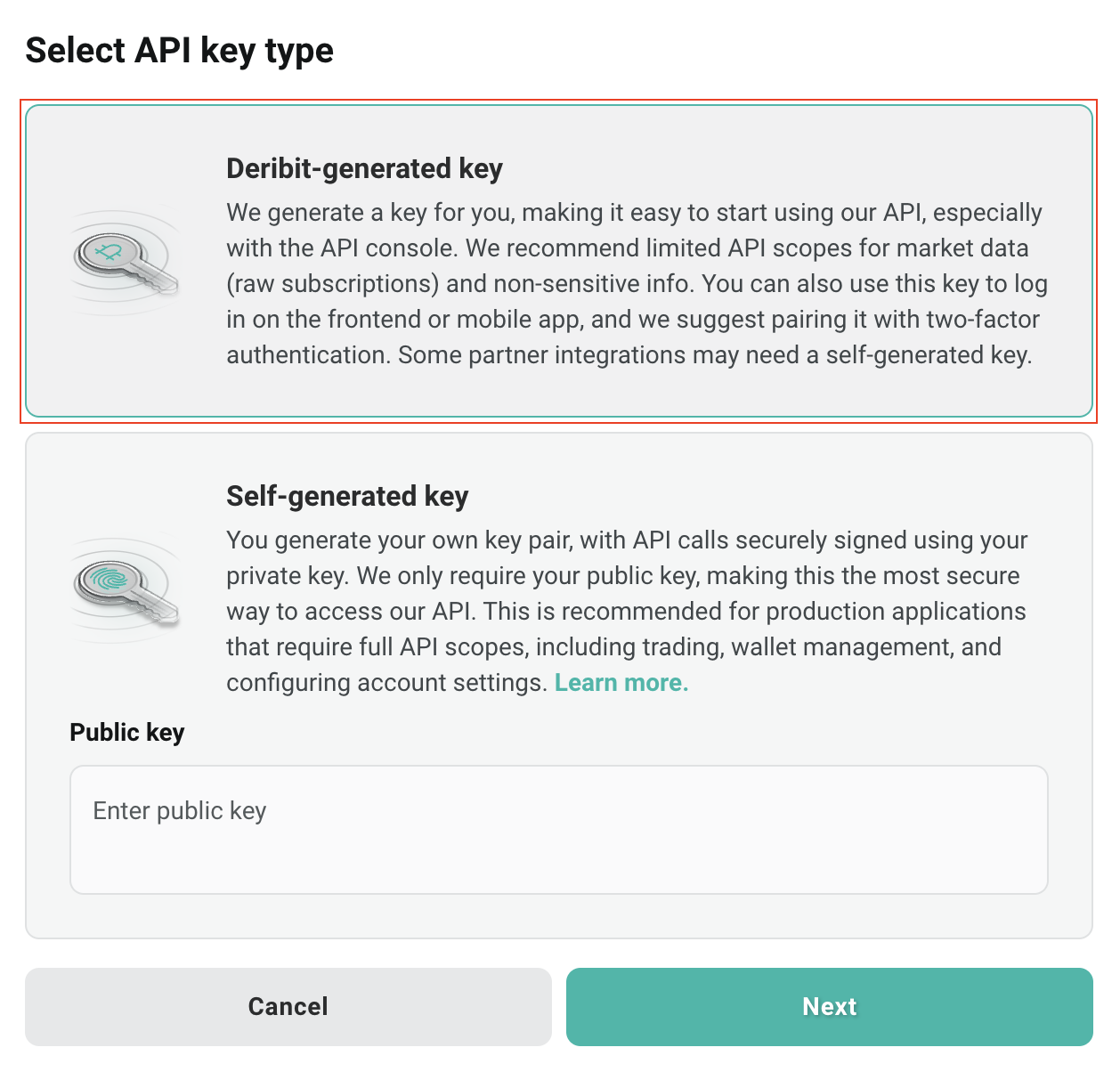
4. On the **Select API key type** dialog, select **Deribit-generated** key, and click **Next**.
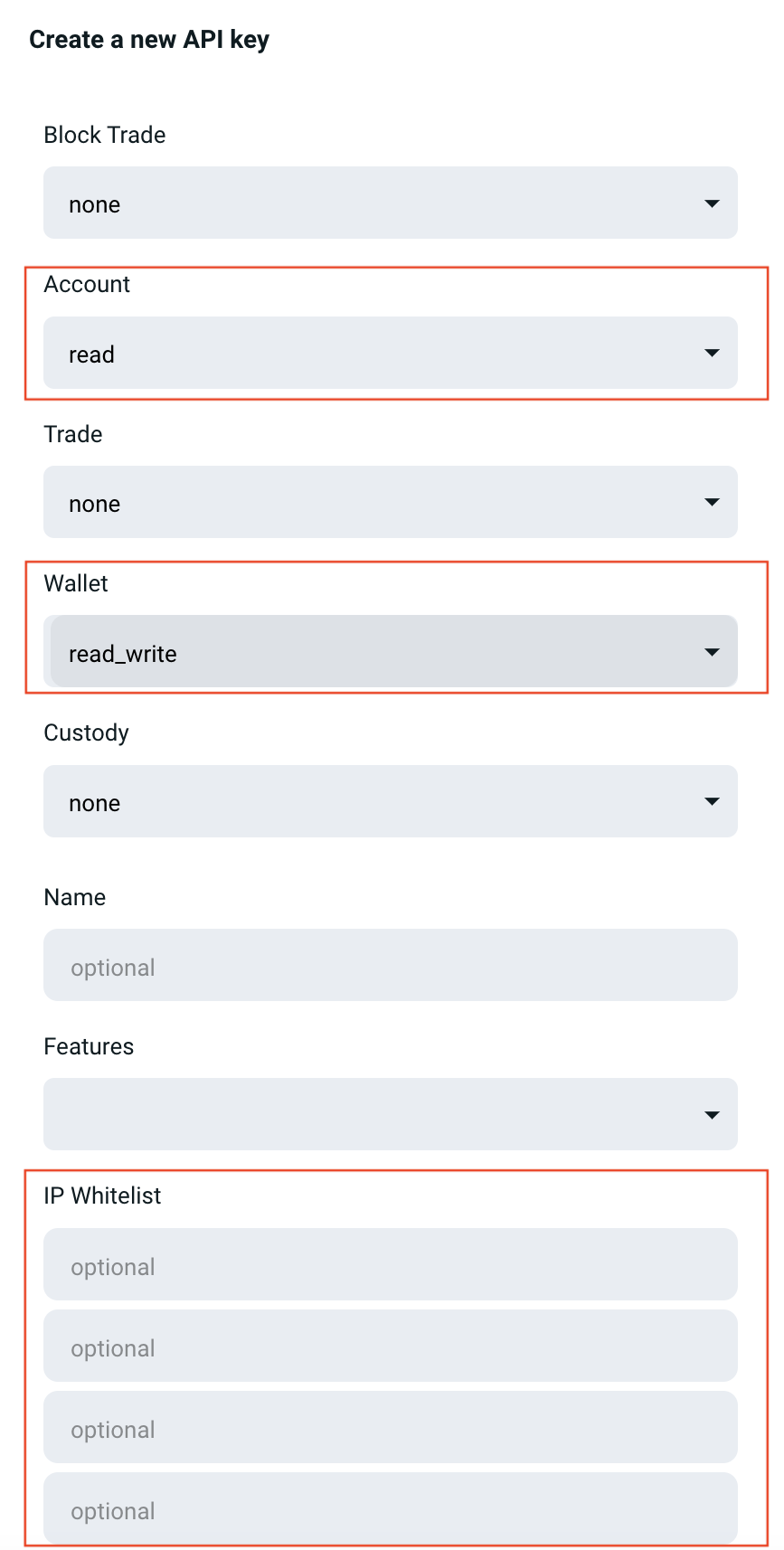
 5. On the **Create a new API key** dialog, finish the API key settings as follows:
* In the **Account** field, select **read**.
* In the **Wallet** field, select **read\_write**.
* In the **IP Whitelist** field, enter Cobo's IP address `18.177.234.7` and `18.180.16.190`.
5. On the **Create a new API key** dialog, finish the API key settings as follows:
* In the **Account** field, select **read**.
* In the **Wallet** field, select **read\_write**.
* In the **IP Whitelist** field, enter Cobo's IP address `18.177.234.7` and `18.180.16.190`.
 6. Click **Create a new API key**.
7. After the API key is created, click **Show Keys** to display the API key information, including client ID and client secret.
You have now generated and set up an API Key. You can go to Cobo Portal to link your Deribit account with the client ID and client secret. To learn how to link your account, see [Set up Exchange Wallets](/en/portal/exchange-wallets/set-up).
6. Click **Create a new API key**.
7. After the API key is created, click **Show Keys** to display the API key information, including client ID and client secret.
You have now generated and set up an API Key. You can go to Cobo Portal to link your Deribit account with the client ID and client secret. To learn how to link your account, see [Set up Exchange Wallets](/en/portal/exchange-wallets/set-up).