> ## Documentation Index
> Fetch the complete documentation index at: https://manuals.cobo.com/llms.txt
> Use this file to discover all available pages before exploring further.
# Generate an API key on Bitget
> Discover how to generate an API key on Bitget, including setting permissions and whitelisting Cobo's IP.
When you link a Bitget account to your Exchange Wallet, you will need to provide an API key, an API secret key, and a passphrase. Besides, you also need to include Cobo in the IP whitelist and assign specific permissions to the key.
This article explains how to generate an API key on Bitget, including adding Cobo to the IP whitelist and setting permissions.
The content is subject to changes on Bitget. For more details, refer to Bitget API Creation Guide.
1. Log in to your Bitget account.
2. Navigate to **Personal Center** > **API Management**.
3. Click **Create New API** to open a dialog.
4. On the **Create New API Key** dialog, fill in all required fields.
* Enter a passphrase as required.
* In the **IP Whitelist** field, enter Cobo's IP address `18.177.234.7` and `18.180.16.190`.
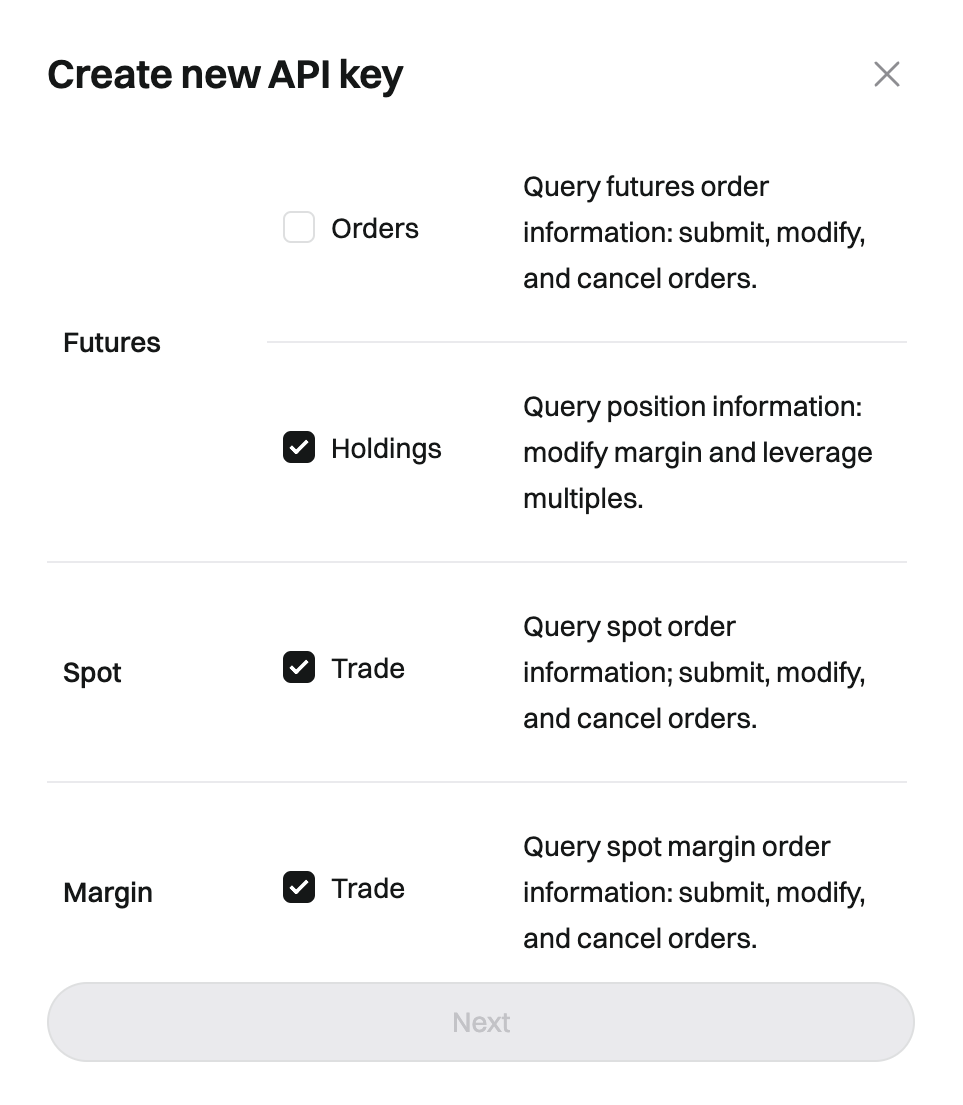
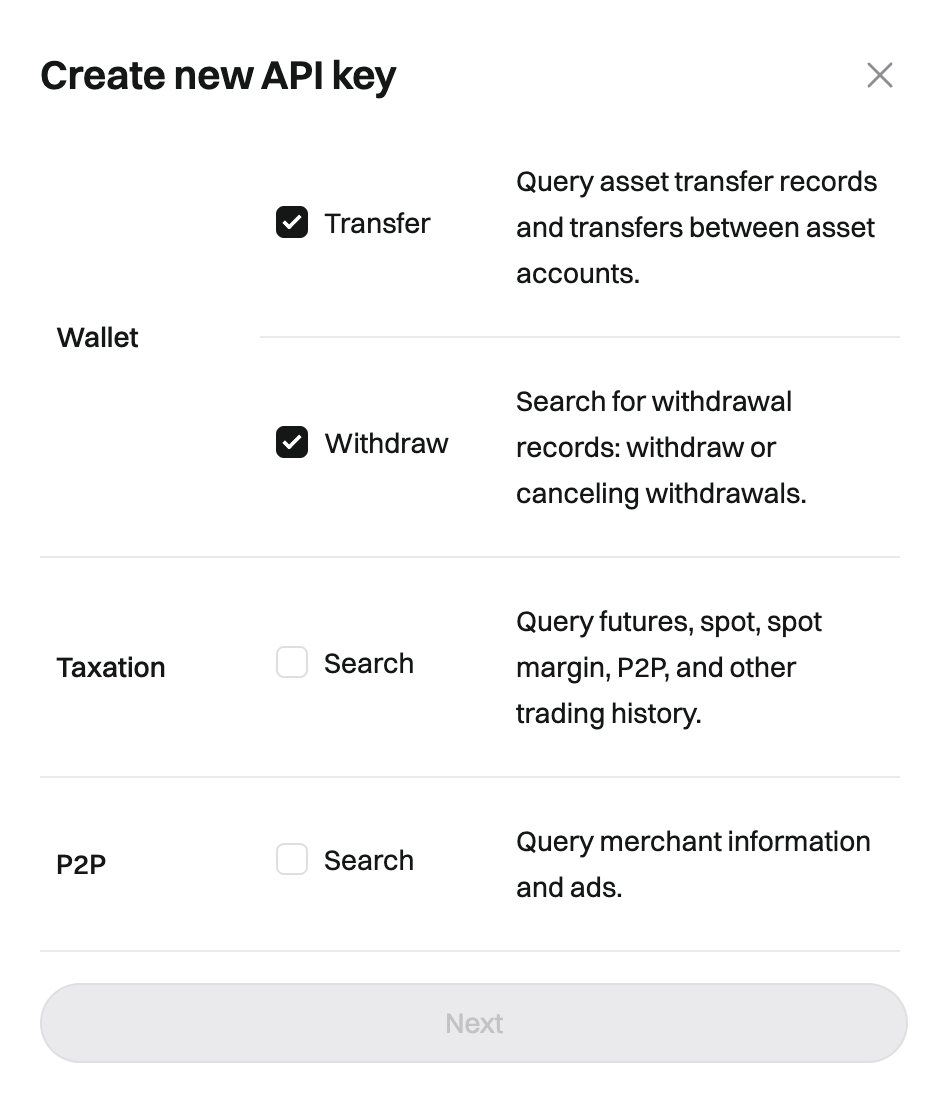
* Select the following permissions:
* **Futures** > **Holdings**
* **Spot** > **Trade**
* **Margin** > **Trade**
* **Wallet** > **Transfer** and **Withdraw**
 5. Click **Next** to generate the API key.
You have now generated an API Key. You can go to Cobo Portal to link your Bitget account with the API key, API secret key, and passphrase. To learn how to link your account, see [Set up Exchange Wallets](/en/portal/exchange-wallets/set-up).
5. Click **Next** to generate the API key.
You have now generated an API Key. You can go to Cobo Portal to link your Bitget account with the API key, API secret key, and passphrase. To learn how to link your account, see [Set up Exchange Wallets](/en/portal/exchange-wallets/set-up).