> ## Documentation Index
> Fetch the complete documentation index at: https://manuals.cobo.com/llms.txt
> Use this file to discover all available pages before exploring further.
# Register a webhook endpoint
> Follow the steps to register a webhook endpoint in Cobo Portal for receiving real-time event notifications.
If your server has firewall or security group rules that restrict access by IP address, please allow the following IPs to ensure webhook and callback notifications are delivered:
* `54.201.57.0` for callbacks.
* `52.34.39.169` for webhooks.
## Prerequisites
You have set up your webhook endpoint as described in [Set up a callback or webhook endpoint](https://www.cobo.com/developers/v2/guides/webhooks-callbacks/set-up-endpoint).
## Steps
1. Log in to [Cobo Portal](https://portal.cobo.com/login).
2. Click **Developer** in the left sidebar.
3. Click the **WaaS 2.0** tab and then switch to the **Webhooks** tab.
4. Click **Register Webhook Endpoint** to display the following dialog.
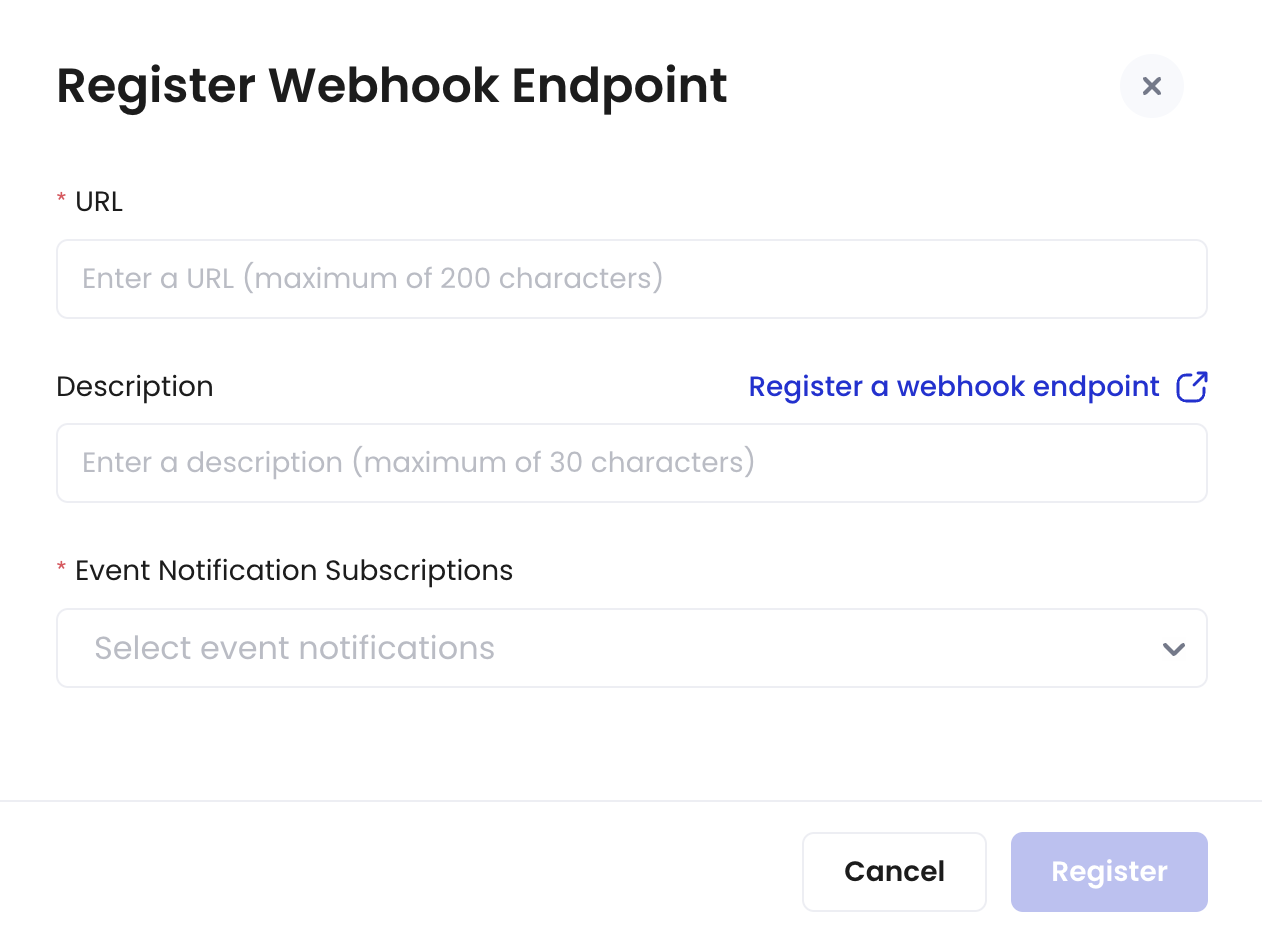 5. Enter the URL.
6. Enter a description for the webhook endpoint.
7. Select the types of event notifications you want to subscribe to.
For more details about the event types, refer to [Webhook event types](https://www.cobo.com/developers/v2/guides/webhooks-callbacks/webhook-event-type#webhook-event-types).
8. Click **Register**.
Now you have registered a webhook endpoint. After registering the webhook endpoint, you cannot delete it. However, if it's no longer needed, you can revoke it, which will permanently disable its functionality.
## Next steps
After registering a webhook endpoint, you can:
* Edit the webhook endpoint's description or subscribed event types.
* Revoke the webhook endpoint to disable its functionality.
* Filter the webhook endpoint list by status or event type.
* Search for specific webhook endpoints using names or keywords.
5. Enter the URL.
6. Enter a description for the webhook endpoint.
7. Select the types of event notifications you want to subscribe to.
For more details about the event types, refer to [Webhook event types](https://www.cobo.com/developers/v2/guides/webhooks-callbacks/webhook-event-type#webhook-event-types).
8. Click **Register**.
Now you have registered a webhook endpoint. After registering the webhook endpoint, you cannot delete it. However, if it's no longer needed, you can revoke it, which will permanently disable its functionality.
## Next steps
After registering a webhook endpoint, you can:
* Edit the webhook endpoint's description or subscribed event types.
* Revoke the webhook endpoint to disable its functionality.
* Filter the webhook endpoint list by status or event type.
* Search for specific webhook endpoints using names or keywords.