> ## Documentation Index
> Fetch the complete documentation index at: https://manuals.cobo.com/llms.txt
> Use this file to discover all available pages before exploring further.
# Register a callback endpoint
> Follow the steps to register a callback endpoint in Cobo Portal for receiving alerts and notifications.
If your server has firewall or security group rules that restrict access by IP address, please allow the following IPs to ensure webhook and callback notifications are delivered:
* `54.201.57.0` for callbacks.
* `52.34.39.169` for webhooks.
## Prerequisites
You have set up your callback endpoint as described in [Set up a callback or webhook endpoint](https://www.cobo.com/developers/v2/guides/webhooks-callbacks/set-up-endpoint).
## Steps
1. Log in to [Cobo Portal](https://portal.cobo.com/login).
2. Click **Developer** in the left sidebar.
3. Click the **WaaS 2.0** tab and then switch to the **API Keys** tab.
4. Click the **Register API Key** button, or click the action button besides an API key and click **Edit**.
5. Click the **Callback Endpoint** dropdown list and then click **Register Callback Endpoint**.
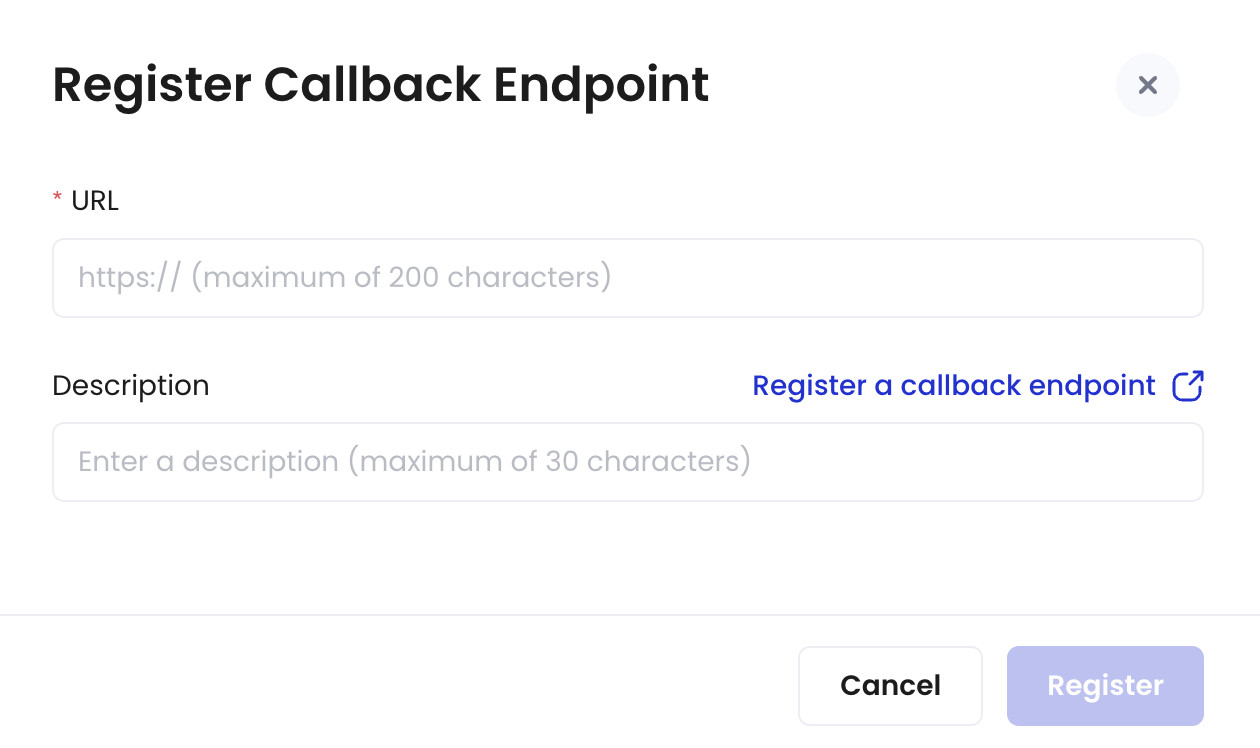 6. Enter the callback URL.
7. Enter a description for the callback (maximum 30 characters).
8. Click **Register**.
Now you have registered a callback endpoint. Once registered, the callback endpoint cannot be deleted.
## Next steps
After registering a callback endpoint, you can use this endpoint to receive callback messages from Cobo Portal by selecting it during the API key registration process. The callback endpoint will receive callback messages triggered by the API key. For detailed instructions on registering an API key, refer to [Register an API key](/en/portal/developer-console/create-api-key).
6. Enter the callback URL.
7. Enter a description for the callback (maximum 30 characters).
8. Click **Register**.
Now you have registered a callback endpoint. Once registered, the callback endpoint cannot be deleted.
## Next steps
After registering a callback endpoint, you can use this endpoint to receive callback messages from Cobo Portal by selecting it during the API key registration process. The callback endpoint will receive callback messages triggered by the API key. For detailed instructions on registering an API key, refer to [Register an API key](/en/portal/developer-console/create-api-key).