> ## Documentation Index
> Fetch the complete documentation index at: https://manuals.cobo.com/llms.txt
> Use this file to discover all available pages before exploring further.
# Introduction to OTC
> Discover OTC, a secure solution for crypto and fiat conversions through licensed providers on Cobo Portal.
OTC App enables you to convert between crypto and fiat through licensed OTC providers, along with deposit and withdrawal management features.
 ## Key features
### Comprehensive OTC services
Convert your assets flexibly between different types (crypto-to-crypto, crypto-to-fiat, fiat-to-crypto, or fiat-to-fiat) and make efficient large-scale cross-border transfers.
### Seamless experience in one platform
Execute transactions, view transaction history, and manage accounts in Cobo Portal without having to leave for third-party platforms.
### Security and compliance
Choose from licensed and regulated OTC providers, share your existing Cobo KYC details for quicker onboarding, and ensure security for all crypto transfers with whitelisted addresses.
## How it works
OTC currently supports [dtcpay](https://dtcpay.com/) as its initial provider, with supported currencies including USDT, USDC, USD, and SGD.
### 1. Install OTC app
Please refer to [Browse and Install](/en/apps/browse-and-install) for the steps.
### 2. Link provider account
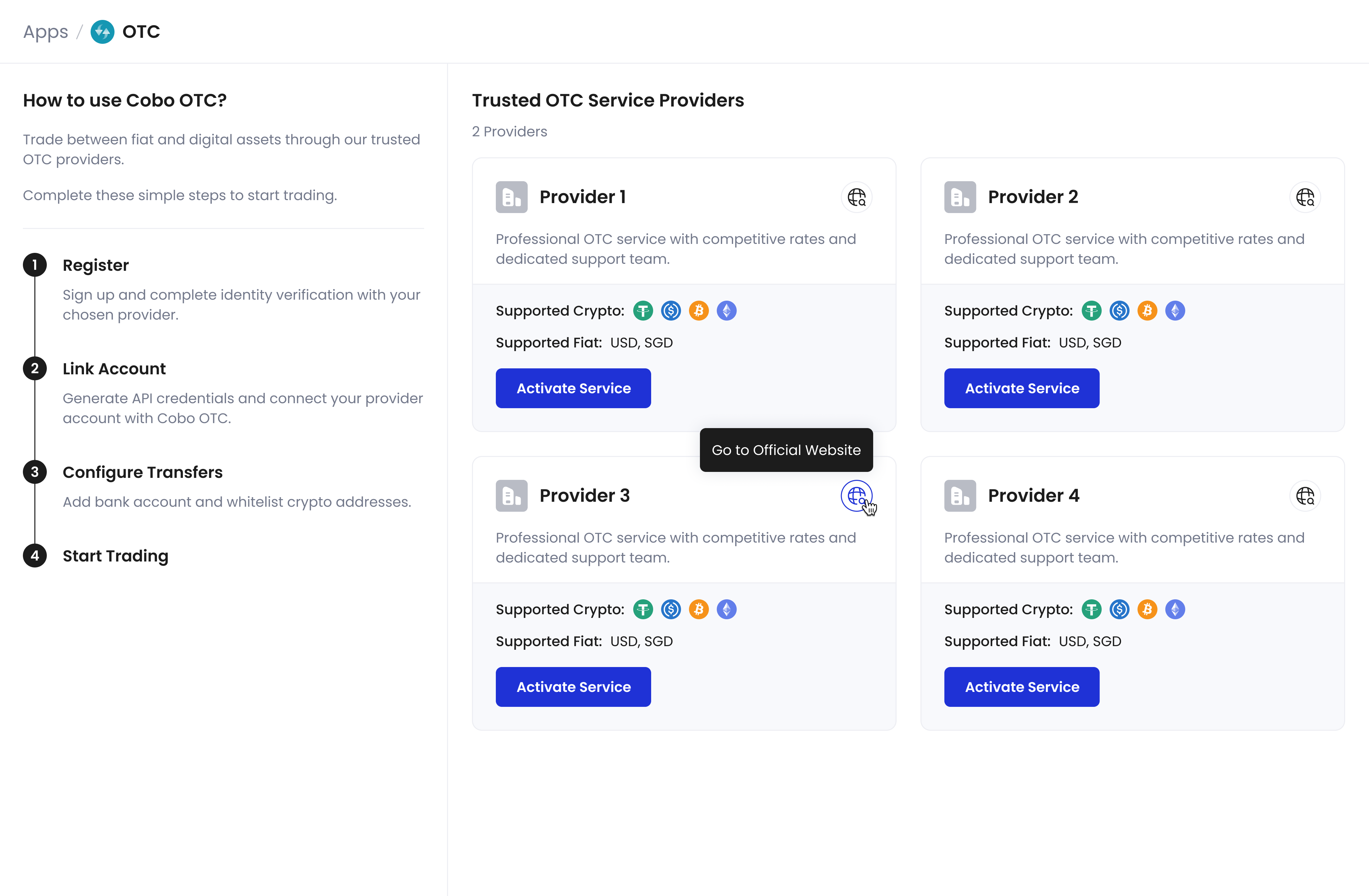
1. View available OTC providers in the OTC app
## Key features
### Comprehensive OTC services
Convert your assets flexibly between different types (crypto-to-crypto, crypto-to-fiat, fiat-to-crypto, or fiat-to-fiat) and make efficient large-scale cross-border transfers.
### Seamless experience in one platform
Execute transactions, view transaction history, and manage accounts in Cobo Portal without having to leave for third-party platforms.
### Security and compliance
Choose from licensed and regulated OTC providers, share your existing Cobo KYC details for quicker onboarding, and ensure security for all crypto transfers with whitelisted addresses.
## How it works
OTC currently supports [dtcpay](https://dtcpay.com/) as its initial provider, with supported currencies including USDT, USDC, USD, and SGD.
### 1. Install OTC app
Please refer to [Browse and Install](/en/apps/browse-and-install) for the steps.
### 2. Link provider account
1. View available OTC providers in the OTC app
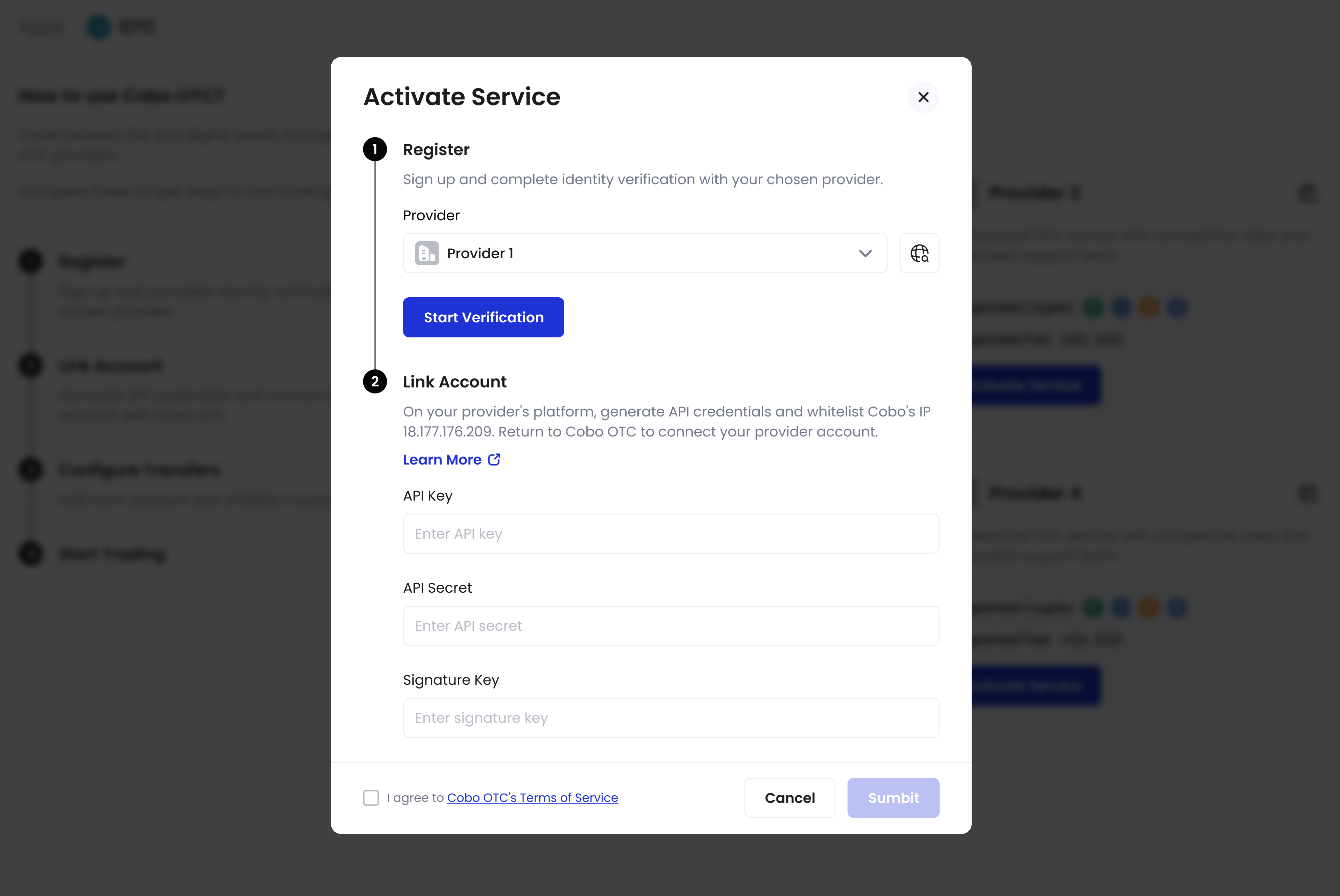
 2. Open an account with your chosen provider
3. Link your provider account in the OTC app using API credentials
2. Open an account with your chosen provider
3. Link your provider account in the OTC app using API credentials
 ### 3. Configure transfers
* Add bank accounts for fiat withdrawals
* Set up an address whitelist for secure crypto transfers
### 4. Start trading
### 3. Configure transfers
* Add bank accounts for fiat withdrawals
* Set up an address whitelist for secure crypto transfers
### 4. Start trading
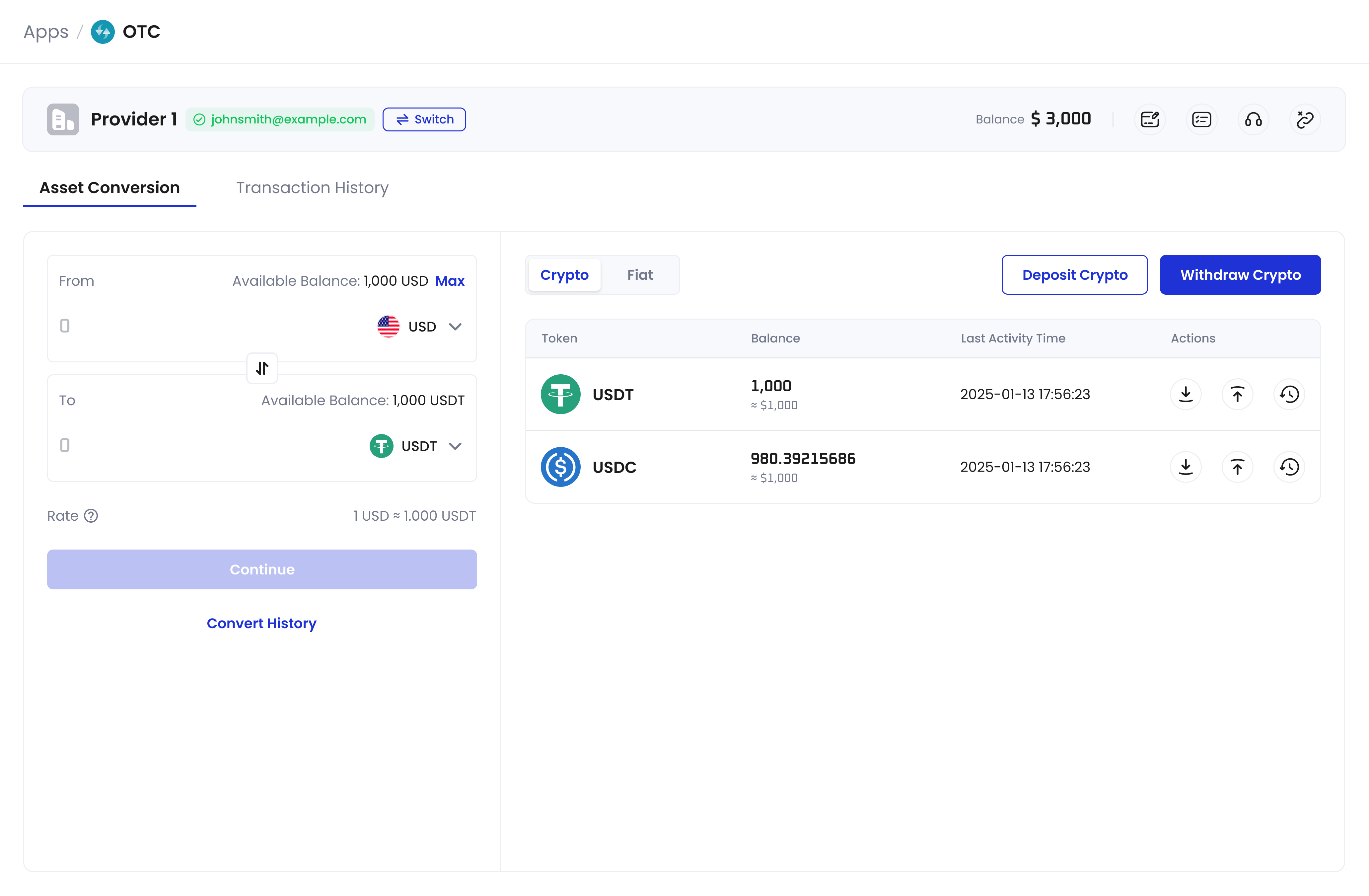 * Convert between cryptocurrencies and fiat currencies
* Deposit and withdraw fiat
* Transfer cryptocurrencies using whitelisted addresses of Custodial and MPC Wallets on Cobo Portal
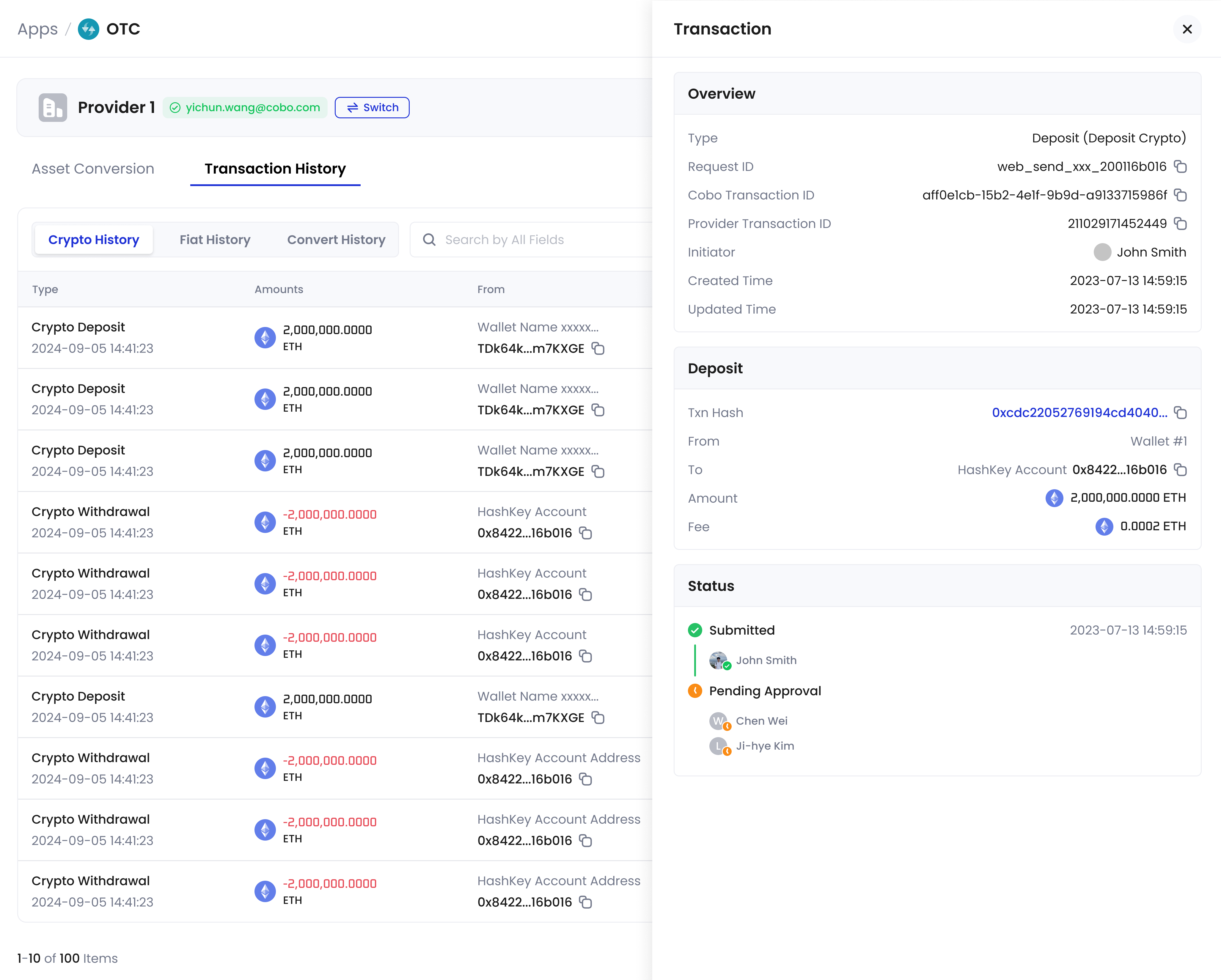
* View transaction status and history
* Convert between cryptocurrencies and fiat currencies
* Deposit and withdraw fiat
* Transfer cryptocurrencies using whitelisted addresses of Custodial and MPC Wallets on Cobo Portal
* View transaction status and history
 ### 5. Managing accounts
* Switch between provider accounts or unlink accounts
* Update bank accounts and address whitelists
* Access provider support
* Update API credentials for account connection
## Supported wallet types
The following wallet types can use the OTC feature:
* [Custodial Wallets](/en/portal/custodial-wallets/introduction)
* [MPC Wallets](/en/portal/mpc-wallets/introduction)
### 5. Managing accounts
* Switch between provider accounts or unlink accounts
* Update bank accounts and address whitelists
* Access provider support
* Update API credentials for account connection
## Supported wallet types
The following wallet types can use the OTC feature:
* [Custodial Wallets](/en/portal/custodial-wallets/introduction)
* [MPC Wallets](/en/portal/mpc-wallets/introduction)