> ## Documentation Index
> Fetch the complete documentation index at: https://manuals.cobo.com/llms.txt
> Use this file to discover all available pages before exploring further.

# 管理 Delegate Key

> 掌握如何管理 Delegate Key，确保安全的资产操作。

<Info>由于 Bybit 安全事件，Safe Wallet 已暂停所有第三方 Delegate Call 服务。因此，Cobo 的智能合约钱包和相关服务（包括链上交易风控规则）暂时不可用。此前已经创建的钱包和链上交易风控规则仍然可以继续使用。恢复时间将另行通知。</Info>

1. 登录 [Cobo Portal](https://portal.cobo.com/login)。
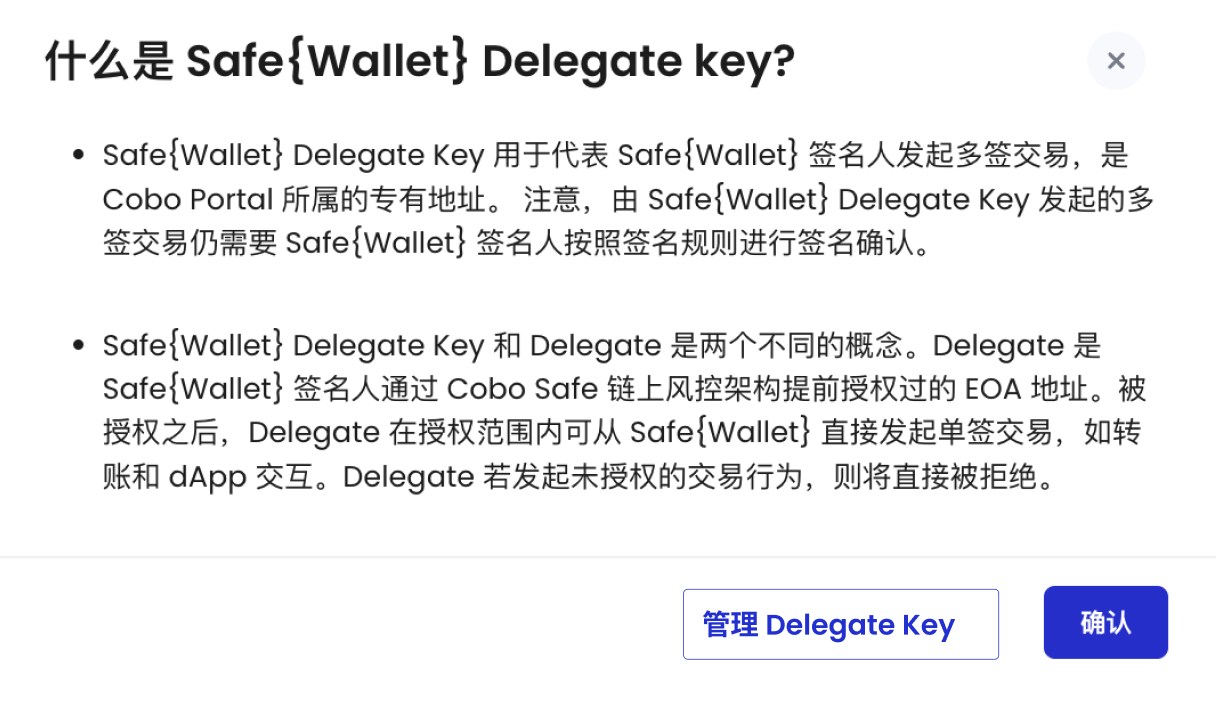
2. 点击左侧导航栏中的**钱包**，然后选择**智能合约钱包**，点击您要使用的 Safe\{Wallet} 旁边的 Delegate Key 图标。
3. 在弹出窗口中，点击**管理 Delegate Key**。

<img src="https://mintcdn.com/cobo-6/Q8_lY8FJoUAoQDIb/cn/images/smart-contract-wallet/7.png?fit=max&auto=format&n=Q8_lY8FJoUAoQDIb&q=85&s=32fdc73a4e329e0606184ac89a805be4" className="screenshot_modal" width="1220" height="708" data-path="cn/images/smart-contract-wallet/7.png" />

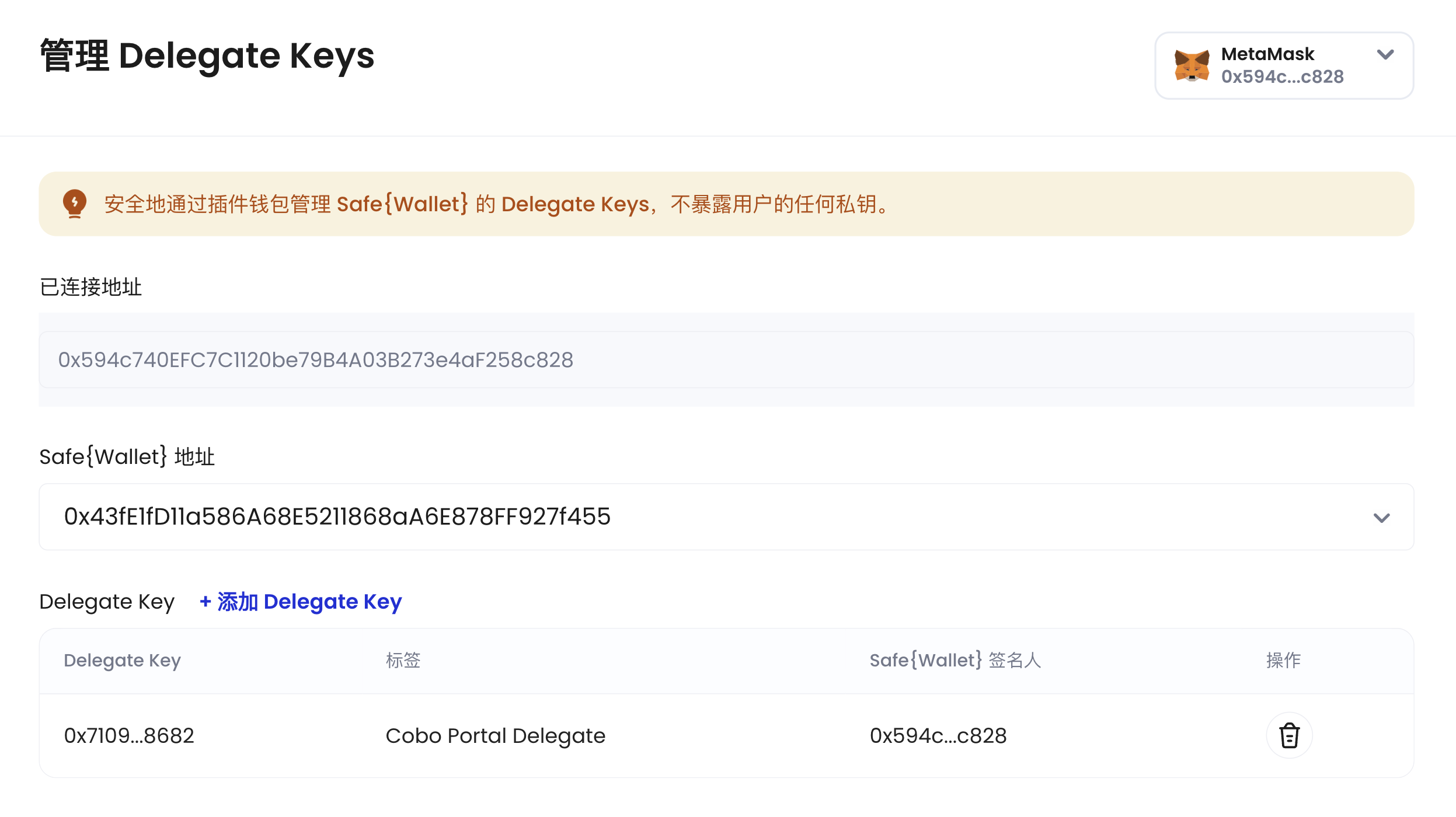
4. 要添加更多 Delegate Key，请点击 **+ 添加 Delegate Key**。要移除不再使用的 Delegate Key，请点击 <img src="https://mintcdn.com/cobo-6/UHY_Amyx5hS2tBNp/cn/images/smart-contract-wallet/icon_delete.svg?fit=max&auto=format&n=UHY_Amyx5hS2tBNp&q=85&s=1b2f459c387431716e58d0e16e24c1e4" className="icon" width="34" height="34" data-path="cn/images/smart-contract-wallet/icon_delete.svg" />。

<img src="https://mintcdn.com/cobo-6/Q8_lY8FJoUAoQDIb/cn/images/smart-contract-wallet/8.png?fit=max&auto=format&n=Q8_lY8FJoUAoQDIb&q=85&s=2978b86178b46cc20136f8ea6053c954" className="screenshot_modal" width="2494" height="1400" data-path="cn/images/smart-contract-wallet/8.png" />