> ## Documentation Index
> Fetch the complete documentation index at: https://manuals.cobo.com/llms.txt
> Use this file to discover all available pages before exploring further.
# 关联交易所账户
> 掌握如何关联交易钱包,确保顺利开始交易。
本文介绍如何通过关联交易所账户在 Cobo Portal 上设置交易所钱包。
## 前提条件
* 按照[注册 Cobo Accounts](/cn/accounts/sign-up)中的说明设置 Cobo 账户。
* 按照以下指南在您使用的交易所上生成和设置 API key:
* [Binance](/cn/portal/exchange-wallets/generate-binance-api-key)
* [Bitget](/cn/portal/exchange-wallets/generate-bitget-api-key)
* [Bybit](/cn/portal/exchange-wallets/generate-bybit-api-key)
* [Deribit](/cn/portal/exchange-wallets/generate-deribit-api-key)
* [Gate.io](/cn/portal/exchange-wallets/generate-gate-api-key)
* [OKX](/cn/portal/exchange-wallets/generate-okx-api-key)
* 您已被分配[操作员](/cn/portal/organization/roles-and-permissions)角色或具有等同权限的角色。
## 步骤
1. 登录 [Cobo Portal](https://portal.cobo.com/login)。
2. 点击钱包图标然后选择**交易所钱包**。
3. 点击 **+ 交易所账户**按钮。
4. 在**选择交易所**对话框上,选择您使用的交易所并点击**继续**。
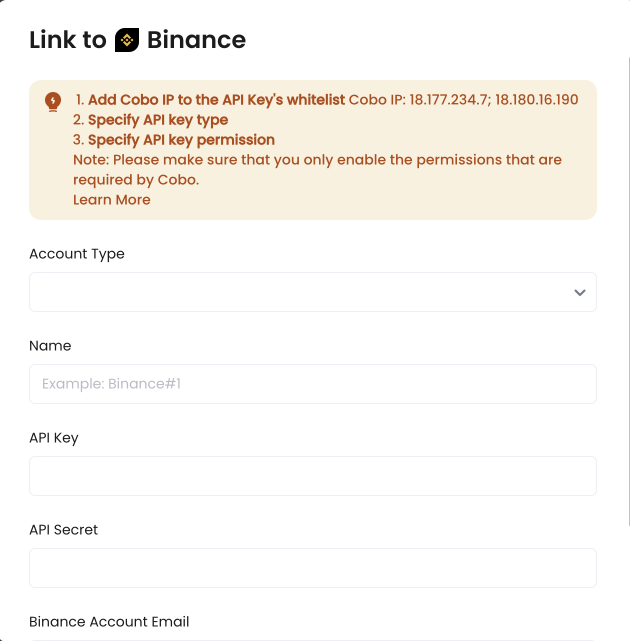
5. 所需信息因交易所而异。在大多数情况下,您需要选择账户类型并提供钱包名称、API key 和 API secret。
关联主账户时,可以同时关联其子账户。
关联子账户时,需要先关联主账户,并将该主账户选定为**已关联的主账户**。
 6. 点击**关联**完成设置。
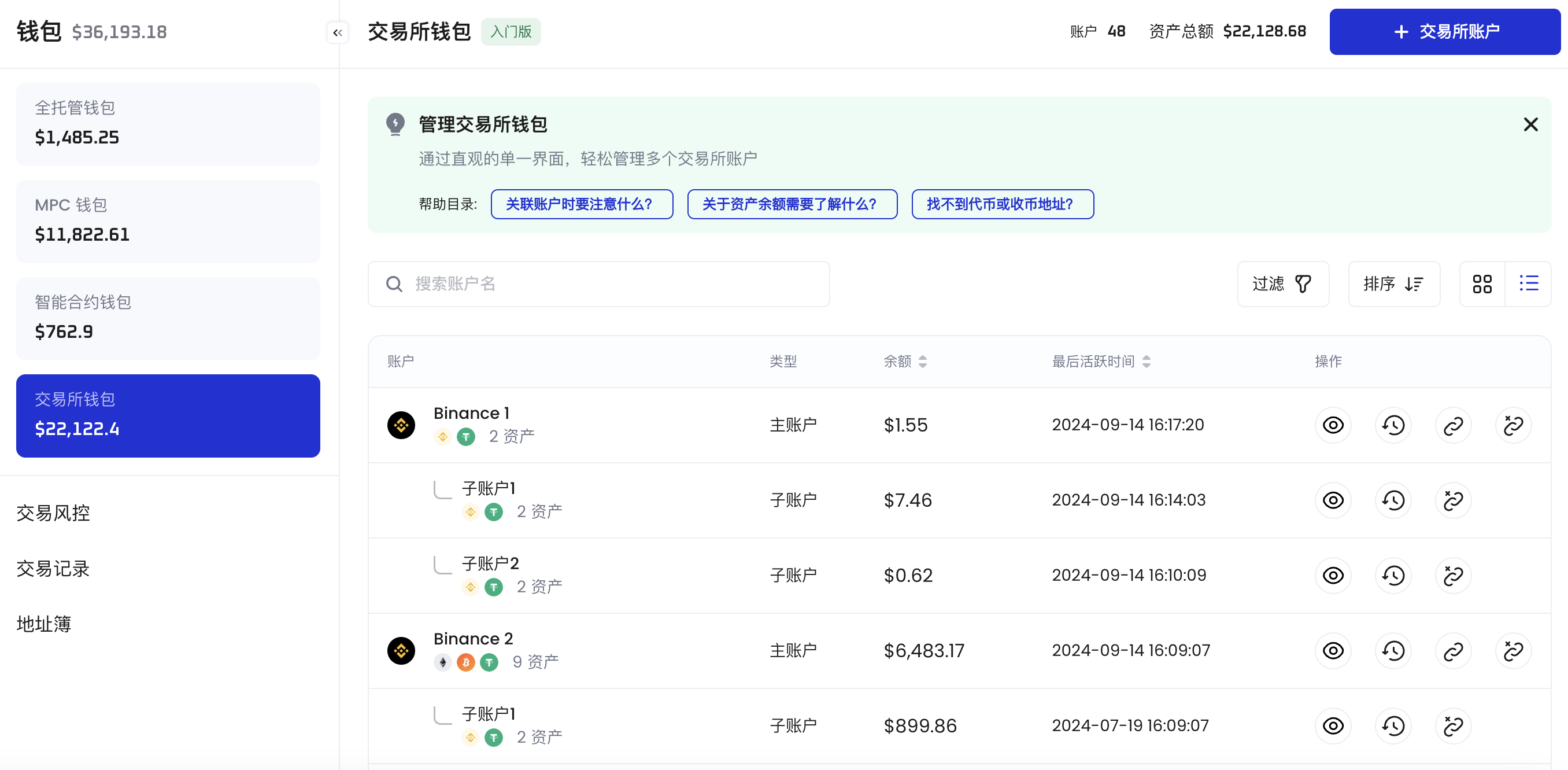
在完成交易所账户关联后,您的交易所账户将显示在交易所钱包概览页中。
6. 点击**关联**完成设置。
在完成交易所账户关联后,您的交易所账户将显示在交易所钱包概览页中。
 ## 后续步骤
在 Cobo Portal 上设置完成交易所钱包后,可以在交易所钱包上执行操作,或将资产从交易所钱包转出或转入交易所钱包。详情请参阅[向交易所钱包充币](/cn/portal/exchange-wallets/transfers)、[从交易所钱包提币](/en/portal/transfers/from-exchange-wallets)和[在交易所钱包内转账](/cn/portal/exchange-wallets/within-wallet)。
## 后续步骤
在 Cobo Portal 上设置完成交易所钱包后,可以在交易所钱包上执行操作,或将资产从交易所钱包转出或转入交易所钱包。详情请参阅[向交易所钱包充币](/cn/portal/exchange-wallets/transfers)、[从交易所钱包提币](/en/portal/transfers/from-exchange-wallets)和[在交易所钱包内转账](/cn/portal/exchange-wallets/within-wallet)。