> ## Documentation Index
> Fetch the complete documentation index at: https://manuals.cobo.com/llms.txt
> Use this file to discover all available pages before exploring further.
# 管理账单
> 学习如何管理账单,包括查看账单和付款信息,确保及时结算。
各付费套餐的计费周期均从购买之日开始,并在计费周期结束时生成账单。
您的应付款总额由三部分组成:
* 您购买的付费套餐费用。
* 您购买的用量包费用。
* 超出所购付费套餐和用量包的超额费用。
请务必在账单生成之日起 14 天内结清账单。未能按时结算可能会导致服务中断。如果您设置了自动续订,账单将自动结算。
## 查看账单
要查看账单,请按照以下步骤操作:
1. 登录 [Cobo Portal](https://portal.cobo.com/login)。
2. 点击右上角的个人头像,选择**套餐方案**。
3. 点击左侧导航菜单中的**账单**。
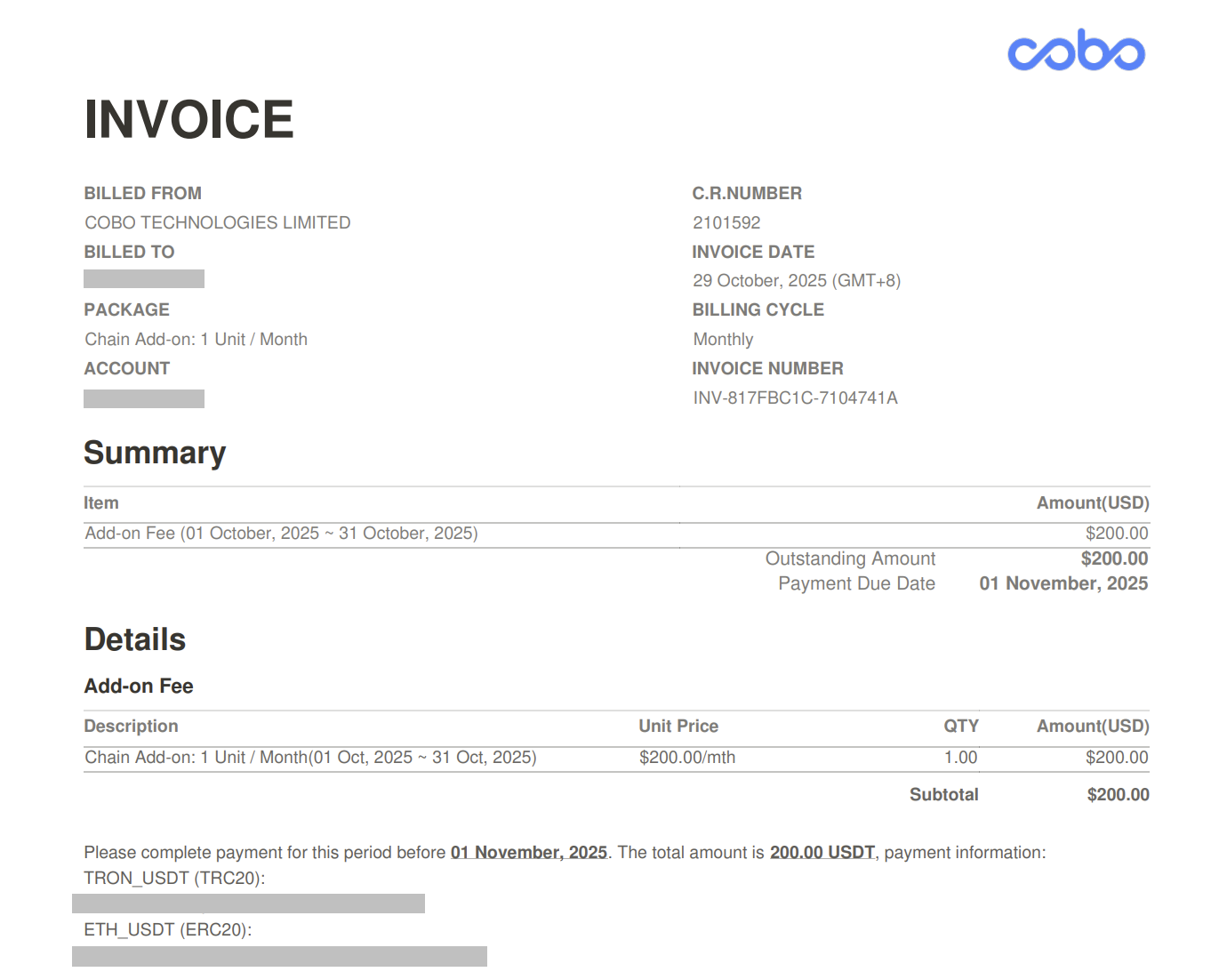
4. 点击  图标,查看账单详情的 PDF 文件,账单内包含支付链接。
 ## 支付账单
要手动支付账单,请按照以下步骤操作:
1. 登录 [Cobo Portal](https://portal.cobo.com/login)。
2. 点击右上角的个人头像,选择**套餐方案**。
3. 点击左侧导航菜单中的**账单**。
4. 找到您要支付的账单并单击
## 支付账单
要手动支付账单,请按照以下步骤操作:
1. 登录 [Cobo Portal](https://portal.cobo.com/login)。
2. 点击右上角的个人头像,选择**套餐方案**。
3. 点击左侧导航菜单中的**账单**。
4. 找到您要支付的账单并单击  图标。
5. 查看账单信息并点击**支付**。
6. 在**支付详情**对话框中,使用 Fee Station 完成支付。详情请参阅 [Fee Station 简介](/cn/portal/fee-station/introduction)。
## 添加账单邮箱
您可以随时添加新的邮箱地址作为接收账单的电子邮箱。请按照以下步骤操作:
1. 登录 [Cobo Portal](https://portal.cobo.com/login)。
2. 点击右上角的个人头像,选择**套餐方案**。
3. 点击左侧导航菜单中的**账单**。
4. 点击右上角的**账单管理**,然后点击**添加邮箱**。
5. 输入您的邮箱地址,然后点击**确认**。
图标。
5. 查看账单信息并点击**支付**。
6. 在**支付详情**对话框中,使用 Fee Station 完成支付。详情请参阅 [Fee Station 简介](/cn/portal/fee-station/introduction)。
## 添加账单邮箱
您可以随时添加新的邮箱地址作为接收账单的电子邮箱。请按照以下步骤操作:
1. 登录 [Cobo Portal](https://portal.cobo.com/login)。
2. 点击右上角的个人头像,选择**套餐方案**。
3. 点击左侧导航菜单中的**账单**。
4. 点击右上角的**账单管理**,然后点击**添加邮箱**。
5. 输入您的邮箱地址,然后点击**确认**。