> ## Documentation Index
> Fetch the complete documentation index at: https://manuals.cobo.com/llms.txt
> Use this file to discover all available pages before exploring further.
# 发票支付
> 了解客户如何通过电子邮件支付发票,查看付款状态和处理付款错误的步骤。
在您发送发票后,您的客户将收到电子邮件通知。该电子邮件包括发票发送者名称、客户电子邮件地址、指定付款代币的应付金额和付款到期日等关键信息。
客户可以点击电子邮件中的**查看详情**(View Details),转至显示发票详情的页面,如下图所示。
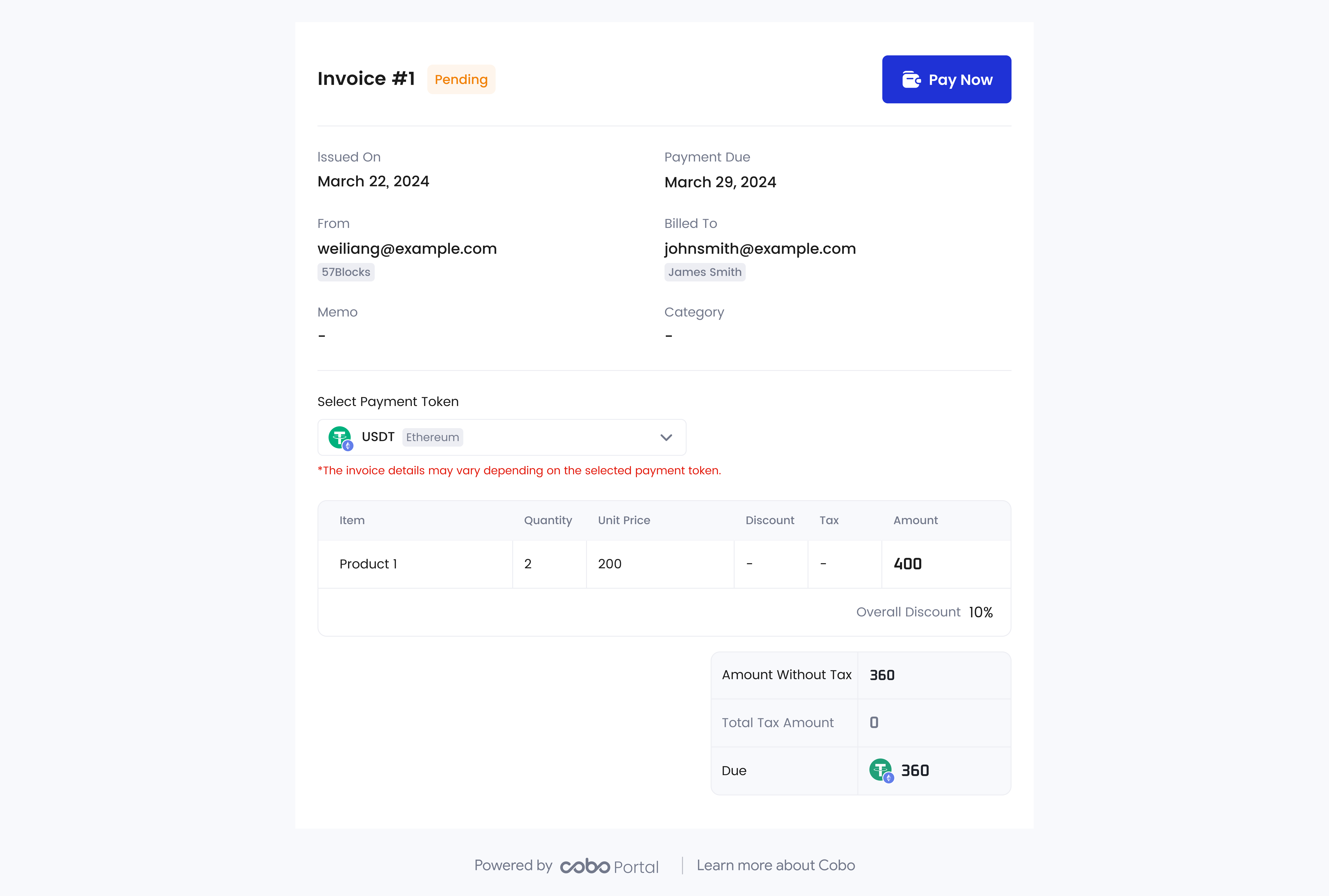 客户可以点击**立即支付**(Pay Now)跳转到付款页面,如下图所示。
 如果付款成功,客户将收到一封付款成功确认邮件,您也将收到一封提示付款已收到的电子邮件。
如果出现付款错误,如多付或少付,您将收到一封提示付款错误的电子邮件。在这种情况下,请联系 Cobo 发票支持团队,电子邮件地址:[invoiceservice@cobo.com](mailto:invoiceservice@cobo.com)。
如果付款成功,客户将收到一封付款成功确认邮件,您也将收到一封提示付款已收到的电子邮件。
如果出现付款错误,如多付或少付,您将收到一封提示付款错误的电子邮件。在这种情况下,请联系 Cobo 发票支持团队,电子邮件地址:[invoiceservice@cobo.com](mailto:invoiceservice@cobo.com)。